 By Alex Tapio
 Optivise alternatives
People look for Optivise alternatives for a few reasons. The Pro price is not shown on its site, so it is hard to know what heavier use will cost. The newest changelog entry we found was from July 2026, which makes some buyers wonder how fast it moves. It works in Excel only, with no deck or data-room workflow. And some analysts would rather start from a finished model than prompt an AI to build one.
What is Optivise?
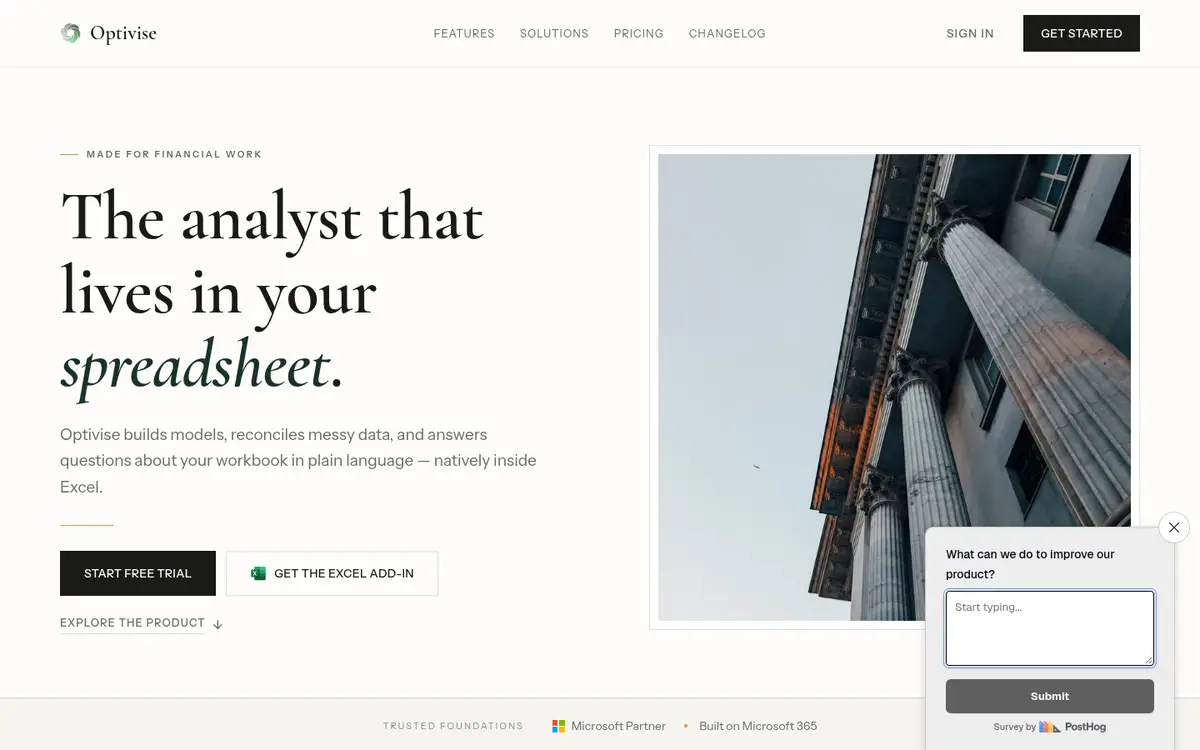
Optivise is an AI add-in for Excel made for finance analysts in investment banking, private equity and corporate finance. From a sentence, it builds three-statement models, DCFs, LBOs and operating cases inside your workbook. It also extracts figures from filings, scanned PDFs and board decks with citations, and pulls data from SEC EDGAR, FRED, Yahoo Finance, FMP and the World Bank. Every edit can be reviewed, accepted or rolled back. Individuals install it free from the Microsoft Marketplace; teams buy Enterprise.
Optivise at a glance
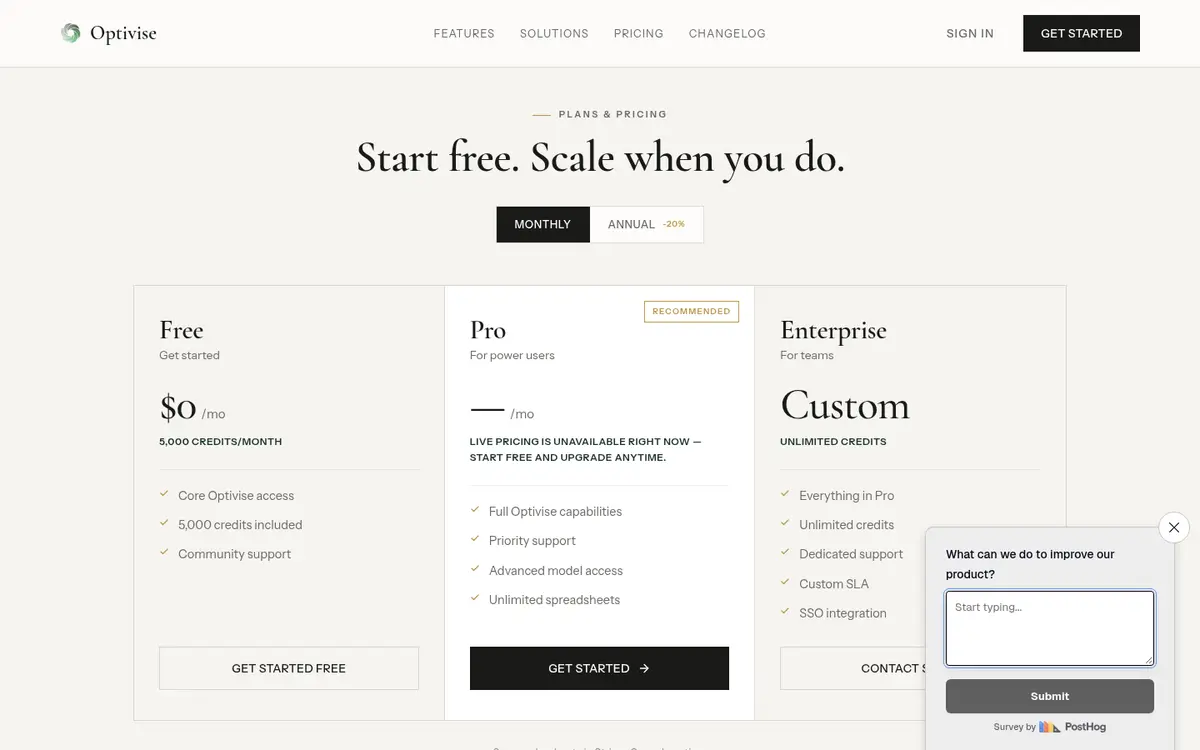
Optivise has three plans. Free costs $0 a month and includes 5,000 credits a month. Pro is described as for power users, but its price did not appear on the page. Enterprise, for teams, is custom. The add-in is free to install and runs in Excel on the web and on desktop. You can choose the AI model or connect your own ChatGPT subscription.
Quick picks
Optivise is the first row, for reference. Every tool here uses AI on a spreadsheet, so the useful columns are where it runs, the price and the free option. Some are Excel add-ins like Optivise, some are general assistants with Excel features, and some work in their own app and hand you a file.
| Tool | Best for | Type of tool | Price (entry plan) | Works in | Free option | Builds the model for you | Excel file you keep | AI edits your file | Templates library |
|---|---|---|---|---|---|---|---|---|---|
| Analysts building models in Excel | Excel AI add-in | Free; Pro not shown | Excel, web and desktop | Yes: 5,000 credits a month | Yes: From a sentence | Yes: Your own workbook | Yes: Builds DCFs, LBOs | Not stated: Not stated |
 | Full models drafted by AI | AI agent | Free, or $100/mo | Excel, web, desktop, CLI | Yes: 20 credits a week | Yes: Full models | Yes: Your own workbook | Yes: Builds and edits | Not stated: Not stated |
 | General AI with Excel add-in | General AI assistant | Not captured | Excel, PowerPoint, web | Yes: Free plan exists | Yes: Creates live models | Yes: Live models in workbook | Yes: Creates and updates | Not stated: Not stated |
 | A ready model, then AI edits | Ready models + AI | $20/mo or $120/yr | Web app, Excel file | Yes: 30 models + free samples | Yes: Fina chat builds it | Yes: .xlsx, formulas visible | Yes: Fina chat edits it | Yes: 500+ models |
 | Models plus consulting slides | Office add-in | From $10/mo | Excel, PowerPoint, Word, web | Yes: 14-day trial | Yes: Describe the model | Yes: Your own workbook | Yes: Excel agent, Premium | Not stated: Not stated |
 | Cited answers about workbooks | AI add-ins | From $17/mo, yearly | Excel, PowerPoint, Word, Outlook | No: Paid plan needed | Yes: Fills templates too | Yes: Keeps your formulas | Yes: Builds and debugs | Not stated: Not stated |
 | Buy-side models from data rooms | AI agent workspace | Plus $60/mo | Web, Excel add-in | Yes: $0 starting tier | Yes: 3-statement, DCF, LBO | Yes: .xlsx with live formulas | Yes: Agents build models | Not stated: Your firm's templates |
yes · no · not stated in the vendor's sources. Hover a mark for details. From each vendor's own site; prices change, so check before you buy.
1.Shortcut

Shortcut, from Fundamental Research Labs, is an AI agent that builds and edits Excel financial models. You can run it as an Excel add-in, a browser app, a Windows desktop agent or a command-line tool.
You describe a model and the agent writes it, formulas and all; its own example is a full LBO with more than 400 linked formulas. Before it changes the structure of a workbook, it shows the code so you can approve it, and an audit skill reviews models by default. Outputs trace back to source files. Reusable skills from its Skill Factory, scheduled workflows and live web dashboards you can share round out the product.
Its customers include hedge funds, PE firms, banks, asset managers, FP&A teams and advisory firms. You can choose a third-party AI model or Shortcut's own model, Pivot, at version 0.7 since October 2026. Enterprise buyers get on-premises hosting, their own keys, single sign-on and customer-owned storage.
Shortcut and Optivise are the most alike on this page: both are Excel-first AI builders with a free tier and an approve-before-it-changes approach. Shortcut publishes all its prices: free with 20 credits a week, Pro at $100 a month billed yearly and Teams at $320 a month plus $100 a seat. Optivise's free plan gives 5,000 credits a month, but its Pro price is hidden. Shortcut runs outside Excel too, while Optivise has stronger data pulls from EDGAR, FRED and filings with citations. Shortcut's accuracy claims rest on its own benchmark of 20 tasks.
- Price
- Pro $100 a month billed yearly. Teams $320 a month plus $100 a seat.
- Free option
- A free plan with 20 credits a week.
Pros
- Builds full models, such as a 400-formula LBO
- Every price is published
- Runs in Excel, browser, desktop and CLI
Cons
- Pro costs $1,200 a year
- Accuracy claims from its own benchmark
Pick it if you want an Excel AI builder with every price on the page.
2.ChatGPT
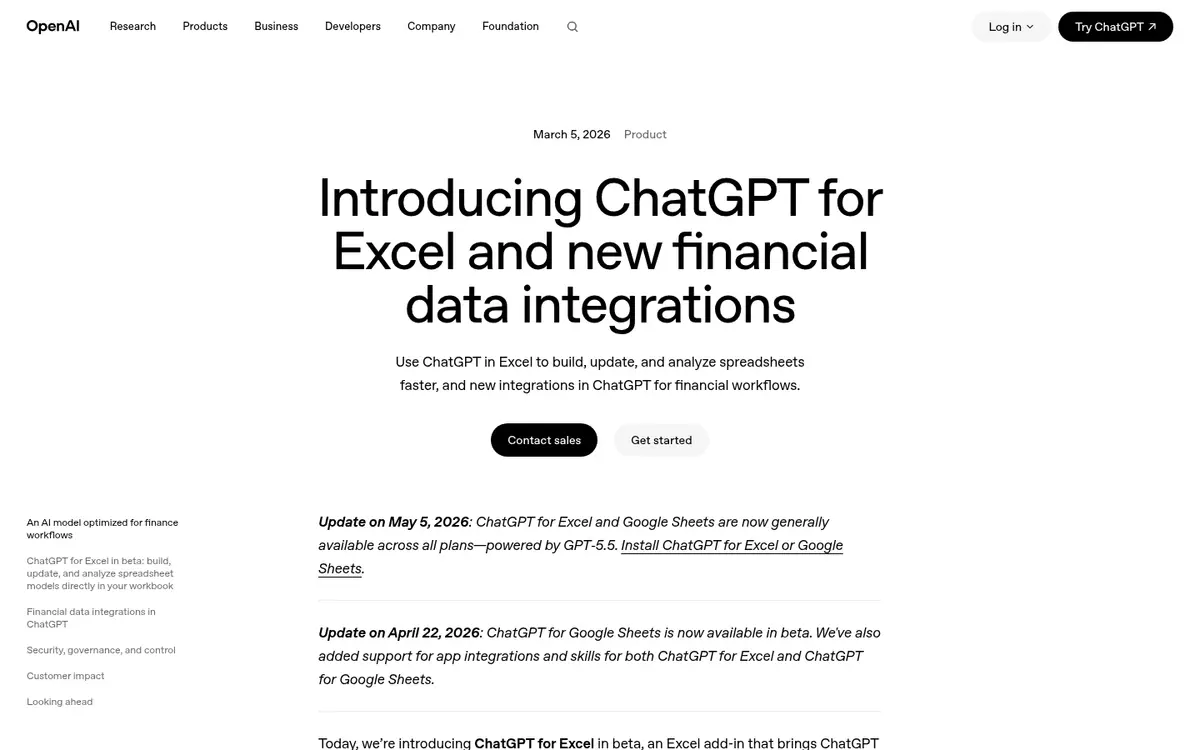
ChatGPT is OpenAI's general AI assistant. Its ChatGPT for Excel add-in creates and updates live Excel models in the workbook, and a PowerPoint add-in does the same for decks.
OpenAI announced ChatGPT for Excel on 5 Mar 2026 and made it generally available on 5 May 2026. In the workbook it can explain why outputs changed, trace and fix errors and show how assumptions flow through a model. Because calculations run in Excel itself, you can audit formulas and check how a result was produced. A separate Chat with Spreadsheets feature helps people learn and fix formulas. The same announcement covers new financial data integrations inside ChatGPT.
ChatGPT sells plans to consumers, companies and schools: Free, Go, Plus, Pro, Business, Enterprise, Edu, Teachers and K-12. ChatGPT Business gives finance teams shared workspaces. The PowerPoint add-in is on every plan, Free included, which makes the deck side easy to try. For an analyst who already uses ChatGPT every day, the add-in brings that same assistant into Excel without a new vendor.
Optivise is finance-specific in ways ChatGPT is not: it knows Bloomberg, Capital IQ and FactSet formula syntax, pulls from EDGAR and FRED, and cites figures it extracts from filings. In fact, Optivise lets you connect your own ChatGPT subscription as its AI model, so the two can work together. ChatGPT's strength is reach, from Excel to PowerPoint to the chat app. We did not check ChatGPT's dollar prices, so confirm plan details yourself.
- Price
- Plans from Free to Enterprise. We did not capture dollar prices.
- Free option
- A Free plan exists; the PowerPoint add-in is available on it.
Pros
- Creates and updates live models in Excel
- Explains why outputs changed
- Also works in PowerPoint
Cons
- Dollar prices not captured here
- Not built only for finance
Pick it if you already live in ChatGPT and want it inside Excel.
3.Finamodel

Finamodel is a library of ready Excel financial models with an AI assistant called Fina. Optivise builds a model in your workbook from a sentence; Finamodel starts you from a model that is already built, then changes it for your case.
You choose a model, such as a DCF, a 3-statement model or an LBO, and ask Fina for what you need: different growth rates, a new debt tranche, an extra scenario, or an explanation of a formula you did not write. Fina builds, edits, explains and fixes the model, and version history lets you restore any earlier file. You download a real .xlsx file with every formula visible, and it works without Finamodel in Excel, Google Sheets and Numbers.
Starting from a finished model means the structure and layout are already there before you type anything. Read-only links to QuickBooks, Google Sheets, Google Drive and 42 other apps can bring in your numbers, and a voice walkthrough can explain the model to someone who did not build it. You can try one of 30 free models with live formulas, or a free sample of any other model without formulas, sent by email link. Sign-up is self-serve with no demo, and every plan has a listed price, unlike Optivise's Pro plan.
The trade-offs against Optivise are real. Finamodel is not an Excel add-in: you work in the Finamodel app, then download the file, so it does not sit inside a workbook you already have open. It does not pull data from EDGAR, FRED or a Bloomberg terminal, and it does not extract cited figures from filings or PDFs. Support is by email. If your work starts from a company's filings, Optivise or Compound fits better; if it starts from a blank sheet and a deadline, a ready model saves the build. Many analysts will use both kinds of tool on different jobs.
How it works
- Pick a ready model, such as a DCF or a 3-statement model, from a library of more than 500.
- Ask Fina chat to change, explain or fix it for your case and your numbers.
- Download a real .xlsx file. Every formula is visible, and it works without Finamodel. It opens in Excel, Google Sheets and Numbers.
- Price
- Models plan: $20 a month or $120 a year. All Templates: $30 a month or $144 a year. You can cancel at any time.
- Free option
- 30 free models with live formulas, and a free sample of every other model, with values but no formulas. Both are sent by email link, one model email per email address per day. The library is free to browse.
Better than Optivise at
- Starts from a finished model
- A listed price for every plan
- Works in Excel, Google Sheets and Numbers
Worse than Optivise at
- Not an Excel add-in: you work in the Finamodel app
- No filings, EDGAR or terminal data pulls
- Support is by email only
Models that fit: DCF Model, 3 Statement Model, LBO Model.
Pick it if you would rather edit a finished model than prompt one from a blank sheet.
4.Deckary
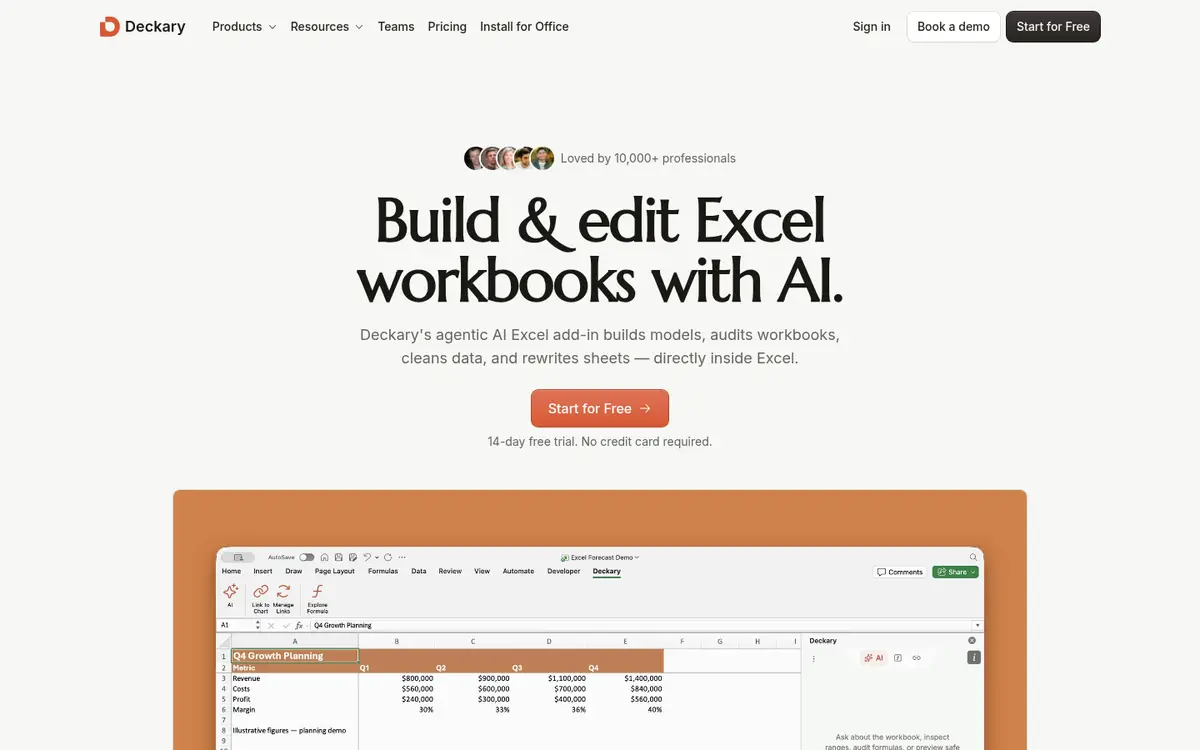
Deckary is an Office add-in with an AI Excel agent, a PowerPoint slide agent and a Word agent. It is used by boutique consultancies, corporate strategy and finance teams, and programme offices.
In Excel you describe the model, such as a three-statement, DCF, ROI, sensitivity or unit economics model, and the agent sets up assumption cells, schedules and formulas, with inputs kept apart from calculations. An audit agent walks every sheet, flags broken formulas and numbers hardcoded inside formulas, and reconciles totals. On the slide side, it drafts on your deck's master and makes exhibits such as waterfalls, Mekkos, football fields and Gantt charts, with charts linked to Excel.
It runs on Mac, Windows and the web, and a browser presentation builder exports editable PowerPoint files. Through Deckary's MCP server, assistants such as Claude, ChatGPT, Codex and Cursor can edit the live Office file. It is built around consulting-style slides first, with the Excel agent added for the models behind them.
For an Optivise user, Deckary adds what Optivise lacks: slides and Word documents built from the same model. It is also cheap and clear on price. Starter is $10 a month; the Excel and Word agents need Premium, at $15 a month billed yearly or $19 month to month. Team seats are $19 a month from 5 seats, and every plan starts with a 14-day trial with no card. On the other side, Deckary lists no filings data, citations or Bloomberg formula support, and it has no changelog, so release dates are hard to check.
- Price
- Starter $10 a month. Premium, with the Excel and Word agents, $15 a month billed yearly or $19 monthly.
- Free option
- A 14-day free trial, no card.
Pros
- Excel, PowerPoint and Word in one add-in
- Assumption cells kept apart from formulas
- Low published prices
Cons
- The Excel agent needs Premium
- No filings data or citations listed
Pick it if you build models and then turn them into slides.
5.Claude
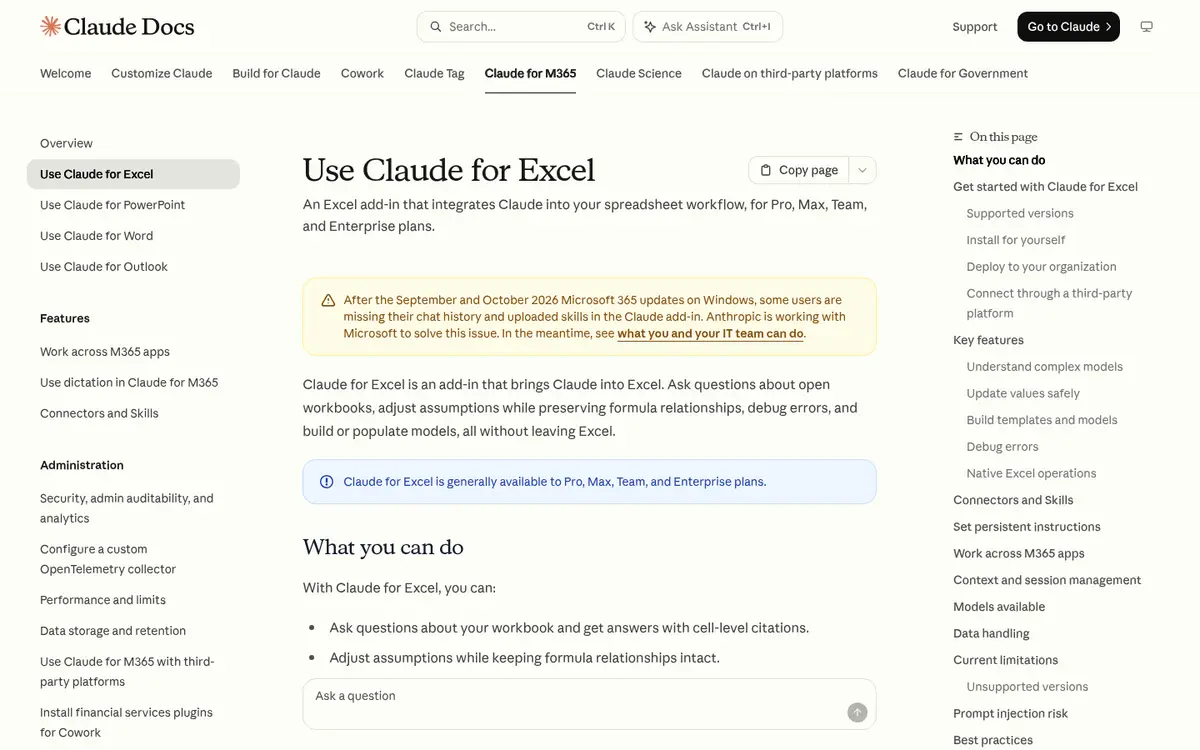
Claude for Excel is Anthropic's Excel add-in. It reads and explains workbooks with cell-level citations, edits inputs while keeping formulas intact, and builds models or fills templates from a plain-language description.
Ask a question about an open workbook and the answer points to the cells it comes from. It traces how formulas and assumptions flow, finds the root cause of calculation errors and suggests fixes, and handles pivots, conditional formatting and data validation. It can build a three-statement model from a trial balance or fill an LBO template. Licensed data connectors include S&P Global, LSEG, Daloopa, FactSet and Morningstar, and finance skills cover comps, DCFs and due-diligence data packs.
It shares context with Claude's PowerPoint, Word and Outlook add-ins, so the same assistant can move a model's numbers into a deck. It suits teams that already pay for Claude and want one assistant across their tools. Teams can deploy it to the whole organisation, and Team seats are $20 a month billed yearly.
Claude and Optivise solve the same problem from opposite ends. Optivise is a finance add-in that lets you pick the AI model; Claude is the AI model with a finance add-in. Claude has no free route into Excel: it needs a paid plan, from $17 a month billed yearly on Pro, or $20 monthly. Optivise starts free with 5,000 credits. Claude for Excel does not support data tables or macros, and Anthropic says client deliverables need human review. Max costs $100 a month and Ultra $200 a month for heavier use.
- Price
- Needs a paid Claude plan: Pro $17 a month billed yearly or $20 monthly; Max $100 a month.
- Free option
- A free Claude plan exists, but Claude for Excel needs a paid plan.
Pros
- Cell-level citations in answers
- Keeps formula links when it edits inputs
- Licensed data connectors such as FactSet and LSEG
Cons
- Needs a paid plan
- No data tables or macros
Pick it if you already pay for Claude and want cited answers inside Excel.
6.Compound
Compound is an AI agent workspace for buy-side finance, used by teams in PE, VC, growth equity, real estate and hedge funds. It runs its own Excel, PowerPoint and Word engines, plus an Excel add-in and an API.
Agents build three-statement, DCF and LBO models as Excel workbooks with live formulas, starting from a data room you upload or from built-in SEC filings, financials, transcripts, prices and macro data. Each number carries a citation that chains from deck to model cell to filing passage, and the citations stay as cell notes when you download the file. Compound recalculates models and reads them cell by cell to catch pasted values and broken formulas.
Tasks run in the background and in parallel, team agents get their own email addresses, and you can comment on a cell or slide to ask for an edit. Work follows your firm's templates or a default House Style. Since version 2.4 on 16 Nov 2026, Claude, ChatGPT, Cursor and Microsoft 365 Copilot can send work to Compound agents.
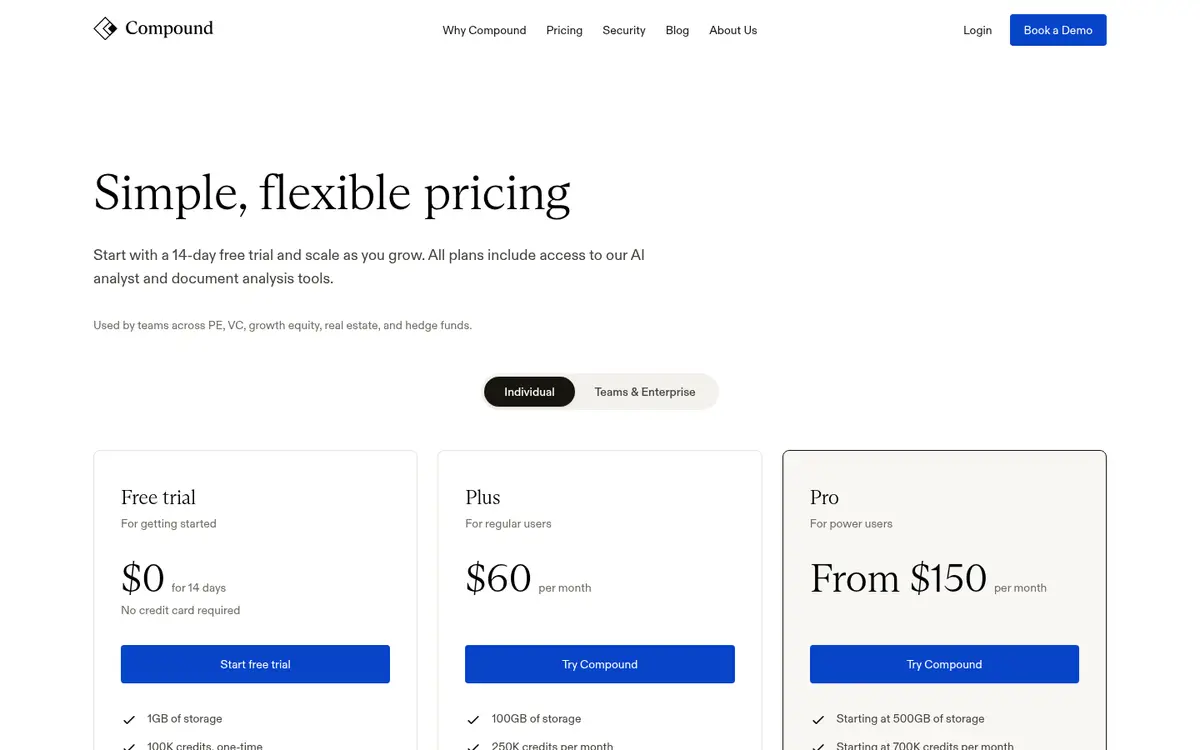
Where Optivise lives inside your workbook, Compound is a workspace that hands you finished files, including the decks and memos Optivise does not make. Both have a $0 way in. Compound shows its paid prices, $60 a month for Plus and from $150 for Pro, which Optivise does not. The catch is coverage: filings outside the SEC and private-company datasets are not built in, so a private target depends on what you upload. Its quality claims rest on its own PE Bench.
- Price
- Plus $60 a month. Pro from $150 a month. Teams and Enterprise through a demo.
- Free option
- A $0 starting tier; the pricing page showed it as a 14-day free trial on 22 Nov 2026.
Pros
- Published paid prices
- Models, decks and memos from one data room
- Citations kept as cell notes in the .xlsx
Cons
- Private-company data not built in
- Quality claims from its own benchmark
Pick it if you need decks and memos as well as the model, on the buy side.
Who should pick what
Optivise is a free way to get an AI model builder into Excel. Most people comparing it want one of three things: clear prices, more than Excel, or a finished model. Each points to a different tool below, so start with the one that matters most to you.
- An Excel AI builder with published prices: Shortcut. Cited answers inside Excel on a paid plan: Claude for Excel.
- A general assistant you already use, now in Excel: ChatGPT.
- Models plus slides from one add-in: Deckary. Buy-side models and decks from a data room: Compound.
- A ready model that AI changes for your case: Finamodel.
Optivise's free plan costs nothing, so keep it while you test the others. Use the same task in each, such as a DCF for one public company, and compare the formulas, not just the outputs. Check how many credits each run uses, because credits limit Optivise, Shortcut and Compound alike.
Frequently asked
How much does Optivise cost?+
Optivise has a free plan at $0 a month with 5,000 credits. The Pro price did not appear on its pricing page when we checked on 10 Nov 2026, and Enterprise is custom.
Is there a free version of Optivise?+
Yes. The free plan includes 5,000 credits a month, and the add-in is free to install from the Microsoft Marketplace. It runs in Excel on the web and on desktop.
What are the main Optivise alternatives?+
For AI in Excel: Shortcut, ChatGPT for Excel and Claude for Excel. For models and slides in one add-in: Deckary. For buy-side models, decks and memos: Compound. For a ready Excel model that AI changes for your case: Finamodel.
Does Optivise work with Bloomberg or Capital IQ?+
Optivise knows Bloomberg, Capital IQ and FactSet formula syntax, but you need your own terminal subscription for the data. It also pulls from SEC EDGAR, FRED, Yahoo Finance, FMP and the World Bank.
Optivise vs Finamodel: which should I pick?+
Pick Optivise if you want a free AI add-in that builds models inside your own Excel workbook. Pick Finamodel if you want to start from a ready model and get a plain .xlsx file, at $20 a month or $120 a year.
Sources for Optivise (3), last checked 15 Nov 2026+
- optivise.app · Homepage, segments and pricing section · 10 Nov 2026
- optivise.app · Changelog (Formula Trace, latest entry) · 8 Nov 2026
- optivise.app · Feature quotes · 15 Nov 2026
Each alternative's own page lists its sources.


