


Excel foundations
Shortcuts, cell references, core formulas, formatting conventions, and model navigation.
Practical skills, courses, teachers, tools, and Excel resources for learning how to build financial models.
Financial modelling combines accounting, business analysis, Excel, and clear thinking. The fastest way to improve is to build and review real models, not memorise formulas in isolation.
Start with the three financial statements, then learn how operating assumptions feed revenue, costs, working capital, capital expenditure, debt, cash flow, and valuation. Build each schedule separately before linking the complete model.
A reliable model should be easy to follow and difficult to break. Assumptions should be visible, formulas traceable, statements balanced, and outputs responsive when the main drivers change.
A practical sequence for going from spreadsheet basics to a complete, reviewable model.
Shortcuts, cell references, core formulas, formatting conventions, and model navigation.
Understand how the income statement, balance sheet, and cash flow statement connect.
Collect source data, clean the historical periods, and separate inputs from calculations.
Translate business drivers into revenue, margin, headcount, and operating expense forecasts.
Build working capital, fixed asset, depreciation, tax, debt, and equity schedules.
Link the schedules into balanced forecast financial statements with clear model checks.
Apply DCF, comparable companies, precedent transactions, LBO, and returns analysis.
Add sensitivities, test assumptions, audit formulas, and present decision-ready outputs.
Established programs range from broad beginner courses to job-focused modelling certifications.
CFA Institute
A practical three-statement modelling module covering forecasts, schedules, model design, and troubleshooting.
Corporate Finance Institute
A broad certification covering three-statement models, valuation, budgeting, forecasting, and presentation skills.

Coursera · Wharton
A beginner-friendly series on spreadsheets, quantitative models, risk, scenarios, and business decisions.
Career Principles
Hands-on training across Excel, accounting, valuation, and financial modelling for analyst roles.
Wall Street Prep
Practitioner-led training in financial statements, DCF, comps, M&A, and LBO modelling.
Useful teachers for practical Excel work, valuation, and professional modelling standards.

Excel and practical financial modelling
Clear, project-based videos on Excel, three-statement models, valuation, and analyst workflows.

Valuation and corporate finance
NYU Stern professor with free classes, webcasts, spreadsheets, and lecture notes on valuation.

Investment banking and transaction modelling
Wall Street Prep founder and former JPMorgan banker focused on professional modelling practice.

Corporate finance, FP&A, and valuation
CFI co-founder and instructor teaching financial modelling, scenario analysis, dashboards, and valuation.

Advanced modelling and model review
FMI executive director and university lecturer focused on modelling standards, valuation, Excel, and model auditing.

Excel modelling and best practice
Financial modeller, Microsoft MVP, author, and instructor teaching practical model design from beginner to advanced level.

Investment banking and private equity
Author and instructor covering three-statement models, DCF, comparable companies, M&A, and transaction analysis.

Model design, auditing, and Power BI
SumProduct founder, author, and long-time trainer in financial modelling, valuations, strategy, Excel, and Power BI.

Investment banking models and careers
Former JPMorgan banker sharing free technical walkthroughs, finance career guides, and practical banking instruction.
You don't have to learn financial modelling on your own. Join r/financialmodelling to ask technical questions, share approaches, and learn from practitioners across FP&A, investment banking, valuation, and corporate finance. It is a useful place to troubleshoot formulas, get feedback on model structure, discuss careers, and discover learning resources. Remove confidential data before sharing any workbook or screenshot.
Financial modelling discussions and community support on Reddit.
Modelling is a core analytical skill across investing, transactions, planning, and business strategy.

Build valuation, merger, financing, and accretion-dilution models to advise on transactions.

Evaluate operating cases, capital structures, exit assumptions, and investor returns across scenarios.

Translate business drivers into budgets, rolling forecasts, cash plans, and management decisions.

Forecast earnings and cash flow, value companies, and test the assumptions behind investment views.

Normalise historical performance, quantify deal adjustments, and assess commercial or financial scenarios.

Project revenue, development costs, debt service, cash waterfalls, and risk-adjusted returns.

Model revenue drivers, hiring, burn, runway, and future funding needs as the business scales.

Assess acquisition targets, synergies, purchase prices, and the long-term economics of strategic choices.
Explore AI spreadsheet agents, Excel add-ins, model-review tools, research platforms, and FP&A software built for financial modelling workflows.
AI spreadsheet agent
BeginnerReads, builds, edits, and audits Excel workbooks while explaining its changes and referenced cells.
AI spreadsheet agent
BeginnerWorks inside Excel to build models, write formulas, automate analysis, and maintain traceable changes.
AI modelling and review
IntermediateBuilds and reviews Excel models, traces formula logic, compares workbooks, and produces linked outputs.
Excel modelling add-in
IntermediateAdds modelling shortcuts, formula auditing, model checks, formatting, and Excel-to-PowerPoint links.
Excel and PowerPoint workflow
IntermediateProvides model construction, formula auditing, workbook cleaning, and live links from Excel to presentations.
AI research and model inputs
IntermediateExtracts cited data and assumptions from filings, presentations, and data rooms for use in Excel models.
Workflow automation
AdvancedBuilds scripts and repeatable workflows for collecting data, transforming inputs, and automating model processes.
AI-native FP&A
IntermediateConnects business data for budgeting, forecasting, scenario planning, headcount planning, and financial reporting.
Forecasting and reporting
BeginnerCreates three-way forecasts, scenarios, microforecasts, consolidated reporting, and management dashboards.
Connected financial planning
AdvancedCombines planning, forecasting, reporting, scenarios, and operational data in a collaborative workspace.
Multidimensional modelling
AdvancedBuilds large driver-based models with readable formulas and dimensions instead of cell-by-cell logic.

Templates and model examples
BeginnerProvides editable Excel templates and completed models to inspect, rebuild, and adapt.
Open real-company examples by industry, trace the statements and assumptions, and see how different businesses are modelled.
Financial model examples from Ameren, American Electric Power, AES and more.






Financial model examples from Alexandria Real Estate Equities, AvalonBay Communities, BXP and more.






Financial model examples from Ametek, Caterpillar, Cummins and more.






Financial model examples from Arch Capital Group, Aflac, American International Group and more.






Financial model examples from APA, Baker Hughes, ConocoPhillips and more.






Financial model examples from Bank of America, BNY Mellon, Citigroup and more.






Financial model examples from Abbott Laboratories, Align Technology, Baxter International and more.






Financial model examples from Adobe, Autodesk, Broadridge Financial Solutions and more.






Study forecasts, fundraising assumptions, unit economics, and runway across real startup categories.
Financial Model Examples of 130 Enterprise/Security Startups






Financial Model Examples of 116 Fintech Startups






Financial Model Examples of 95 Marketplace Startups






Financial Model Examples of 74 Health-tech Startups






Financial Model Examples of 62 Dev Tools Startups






Financial Model Examples of 56 Media/Gaming Startups






Financial Model Examples of 52 AI/ML Startups






Financial Model Examples of 50 Crypto/Web3 Startups






Download an editable Excel model, trace its formulas, and rebuild one schedule at a time.
Integrated income statement, balance sheet, and cash flow forecasts.
Discounted cash flow valuation model with explicit forecast, terminal value, and WACC.
Complete LBO analysis with debt financing structures, sponsor returns, and sensitivity to exit scenarios.
Pull trading multiples from peer companies and calculate implied valuation ranges.
Comprehensive M&A valuation with DCF, comparable companies, and precedent transactions analysis.
Detailed monthly and annual cash flow projections with sweep and liquidity mechanics.
Monthly cash flow projection for seed and early-stage companies showing burn rate, months of runway, and funding milestones.
Equity ownership tracking and scenario modeling.
Track customer acquisition cost, lifetime value, payback period, and margins by customer segment.
Subscription forecast with logo motion, MRR build, ARR, NRR/GRR, and CAC payback for SaaS businesses.
Model cash conversion cycle with DSO, DIO, and DPO to forecast working capital needs.
12-month operating P&L variance tracker with YTD summary.
Use templates as teachers, not shortcuts. Inspect the structure, rebuild the logic, and test whether you understand the result.
Start with a completed model and identify the outputs, assumptions, and main schedules.
Follow important formulas backwards until you can explain where each result comes from.
Recreate one schedule in a blank workbook without copying the original formulas.
Change the key assumptions and check that the model responds logically and still balances.
Check formulas, hardcodes, units, signs, assumptions, and model checks for errors and inconsistencies.
Summarise the model's logic, conclusions, sensitivities, and limitations in plain language.
Practical articles for building, reviewing, and improving financial models.
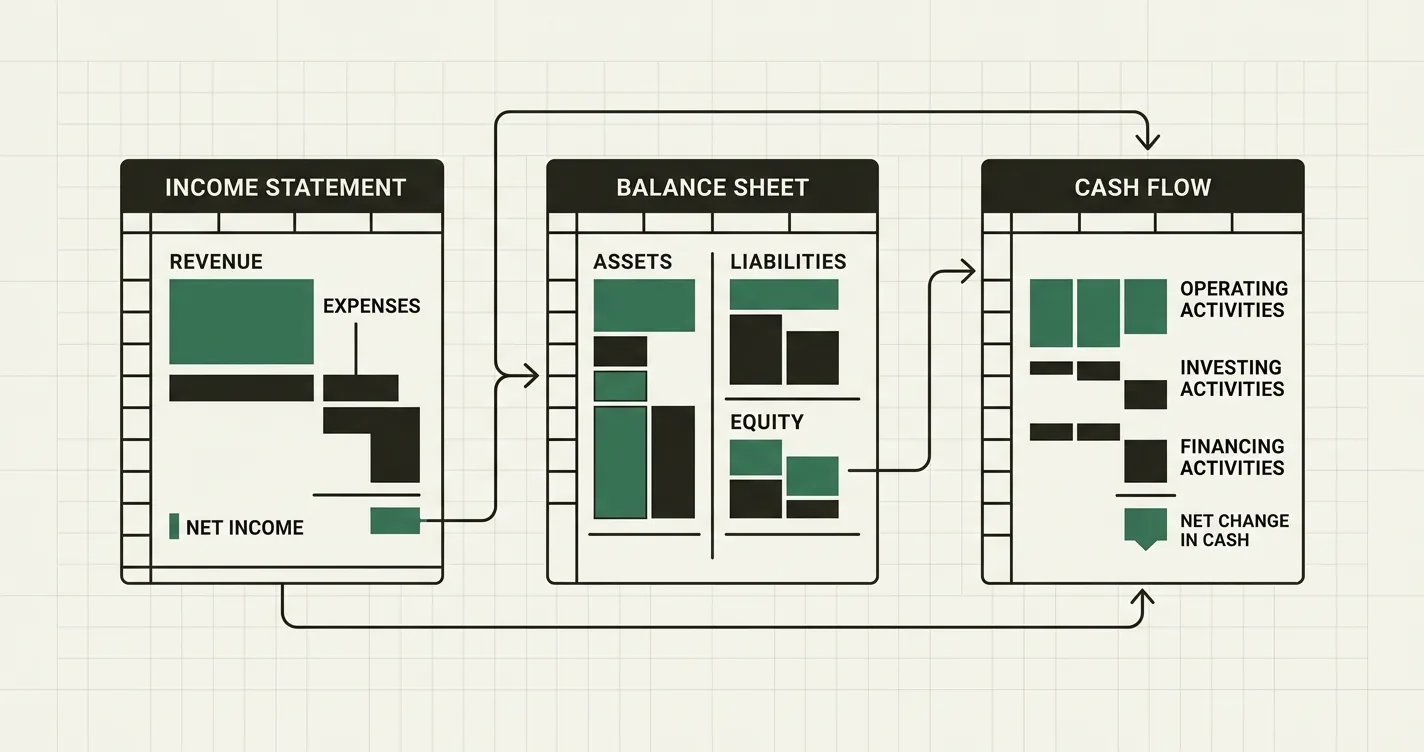
Learn the mechanics of linking the income statement, balance sheet, and cash flow statement into a dynamic financial model.

Master the structure, color conventions, formula standards, and naming conventions that separate investment-bank-grade models from amateur spreadsheets. Learn FAST, error checks, and audit trail best practices.

A comprehensive guide to building a startup financial model for fundraising, covering revenue forecasting, headcount planning, burn rate, and runway calculations.

Master the fundamentals of building a discounted cash flow (DCF) model in Excel. Learn to forecast free cash flows, calculate WACC, determine terminal value, and arrive at an enterprise and equity valuation.

Learn the 15 most common financial modelling errors that trip up professionals, and the exact fixes to implement in Excel today - from broken balance sheet checks to hardcoded formulas.

Master sensitivity analysis techniques in Excel: one-variable data tables, two-variable data tables, scenario toggles, Goal Seek, and tornado charts. Includes worked examples and best practices for financial modeling.
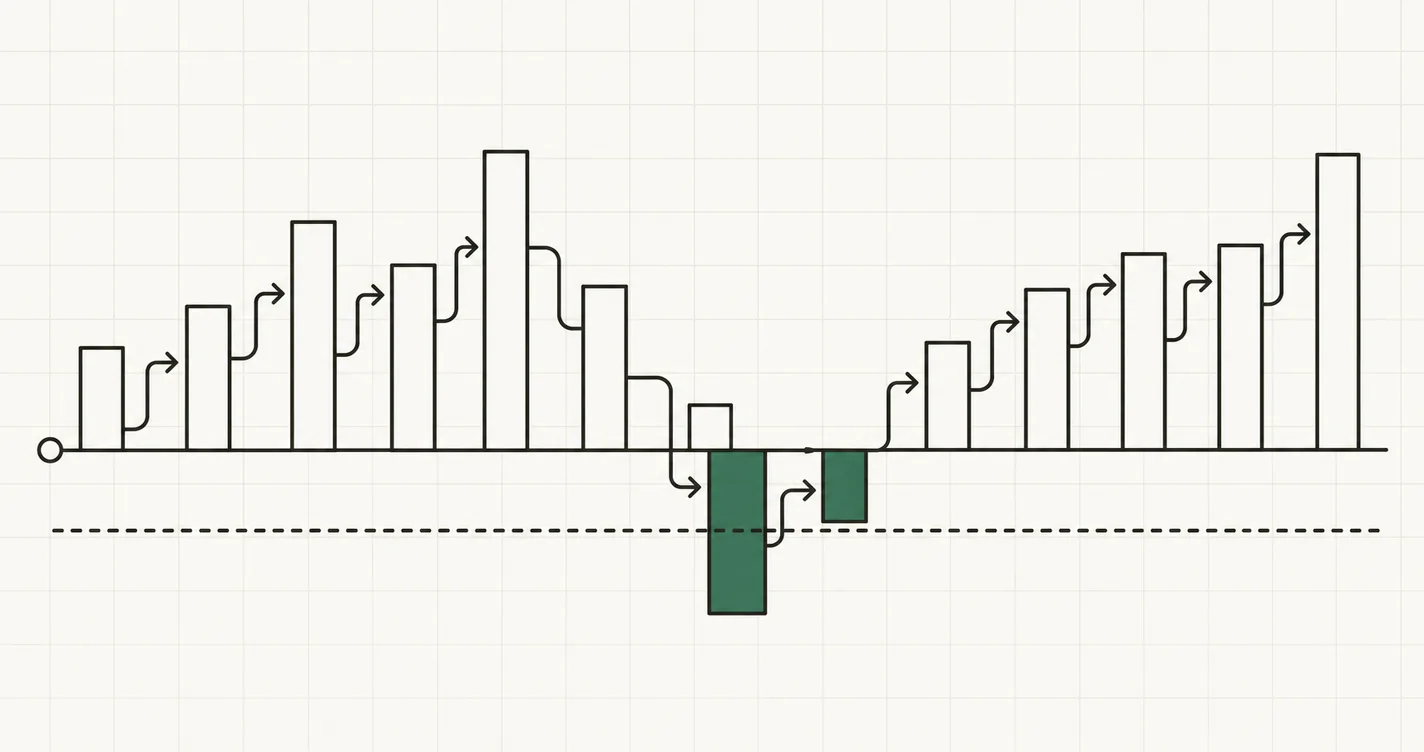
A complete, practical guide to building a cash flow forecast in Excel. Learn the direct and indirect methods, the operating/investing/financing structure, a fully worked monthly example, the Excel formulas that make it self-updating, and the mistakes to avoid.
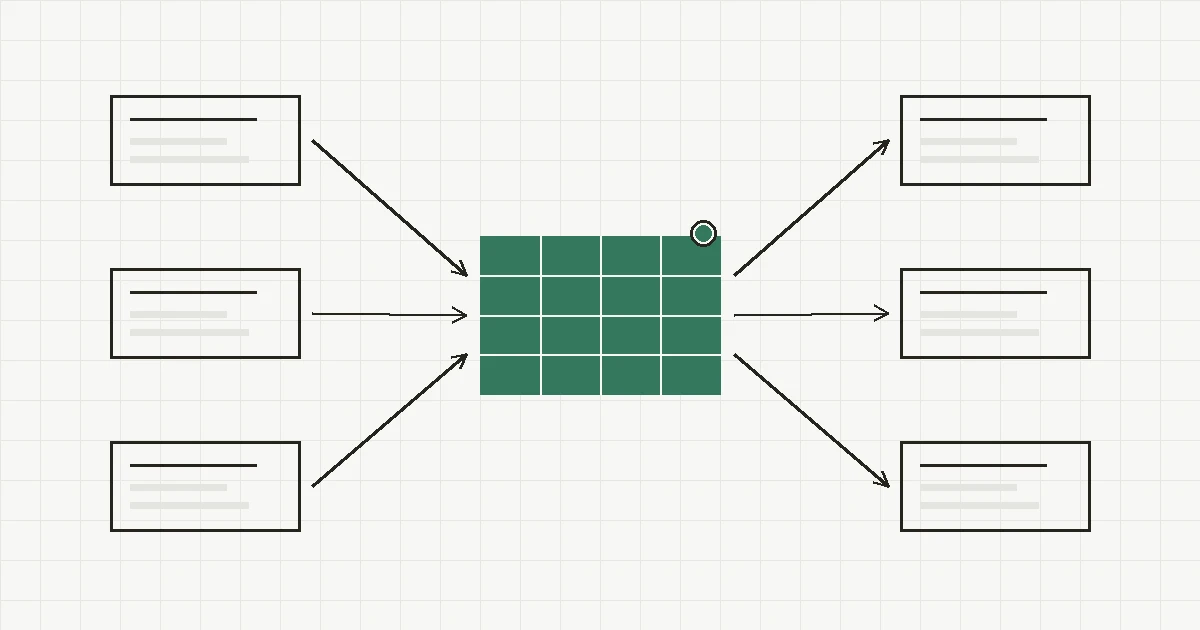
The practical financial modelling tool stack - Excel, accelerators, data sources, FP&A platforms, Python automation, and AI copilots like Claude and ChatGPT. Recommended stacks for analysts, bankers, founders, and FP&A teams.
Quick answers to common questions about learning financial modelling.
Start with Excel foundations and accounting, then build supporting schedules, link the three statements, and finish with valuation, scenarios, and model review.
Learn by rebuilding a small working model. Trace every formula, change the assumptions, add checks, and explain how each input reaches the final output.
Yes. Free guides, videos, templates, company examples, and public course material are enough to learn the fundamentals when paired with regular hands-on practice.
It becomes manageable when learned in stages. Spreadsheet fluency and accounting take time, but repeated practice with smaller schedules makes full models much easier to understand.
You do not need to be an accountant, but you should understand how the income statement, balance sheet, and cash flow statement connect. Learn those relationships alongside your first three-statement model.
Most learners can build a basic integrated model after several weeks of focused practice. Reaching professional speed and accuracy usually takes a few months of regularly rebuilding, auditing, and explaining models.
Excel remains the standard for most finance roles because it is flexible, transparent, and widely used. Google Sheets works for lighter models, while specialist planning tools are useful for larger collaborative workflows.
Start with a completed model, trace its logic, and then rebuild one schedule without copying formulas. Stress-test the assumptions, add error checks, and compare your outputs with the original model.
Go further
Browse templates, examples, and downloadable Excel models for the analysis you are trying to build. If you can't find your model, ask Fina to build a model for your specific needs.
Start for free

