 By Alex Tapio
 Zibly alternatives
People look for Zibly alternatives for three main reasons. Its pricing page showed only "Loading pricing..." when we checked, so the cost beyond the first free task is unclear. Turnaround is stated two ways, 6 to 24 hours on one page and minutes to an hour on another. And email suits one-off jobs, but some people want to see and steer the work as it happens, inside Excel or in a chat. Its blog also had no posts, and there is no changelog.
What is Zibly?
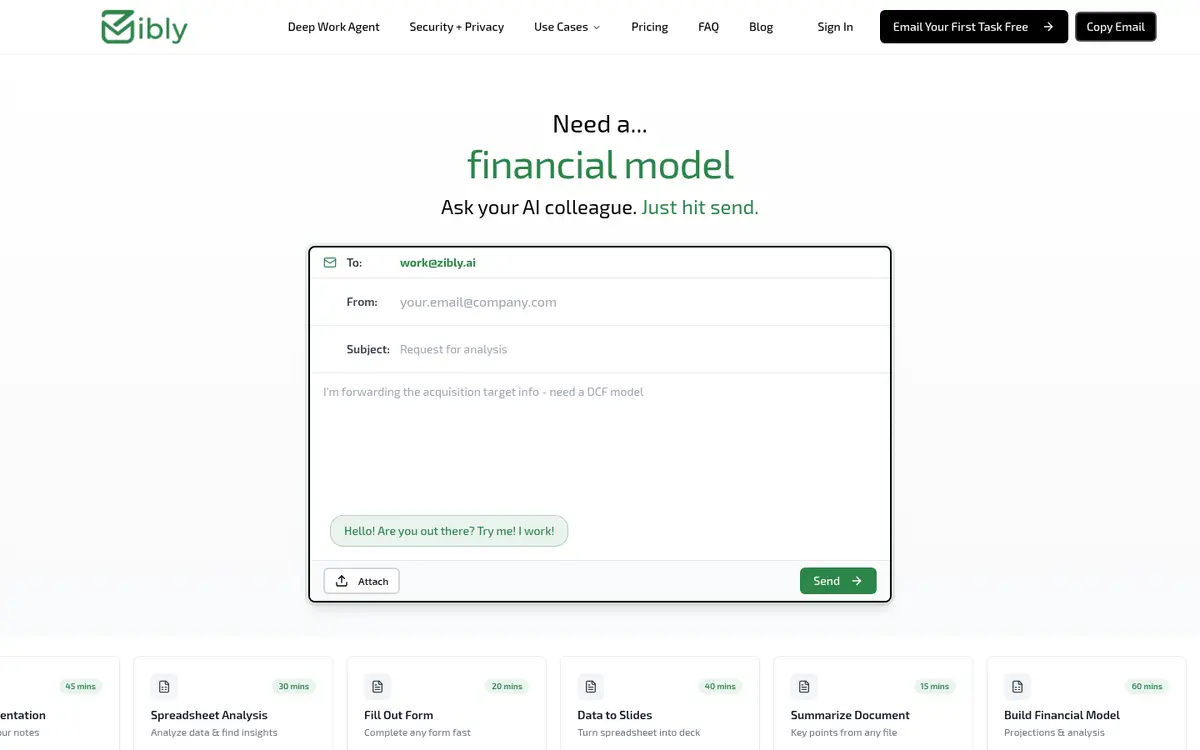
Zibly is an AI service you use by email: "Your AI Colleague. Just Email your work." You send files and a request to its address, and it sends back finished Excel models, PowerPoint decks, Word documents and analyses. Typical jobs include a DCF with sensitivities, an LBO with returns, comps, valuation decks of 5 to 10 slides in a firm's template, one-page profiles and memos. Its use-case pages name consultants, bankers, private equity, accountants, attorneys, marketers and students.
Zibly at a glance
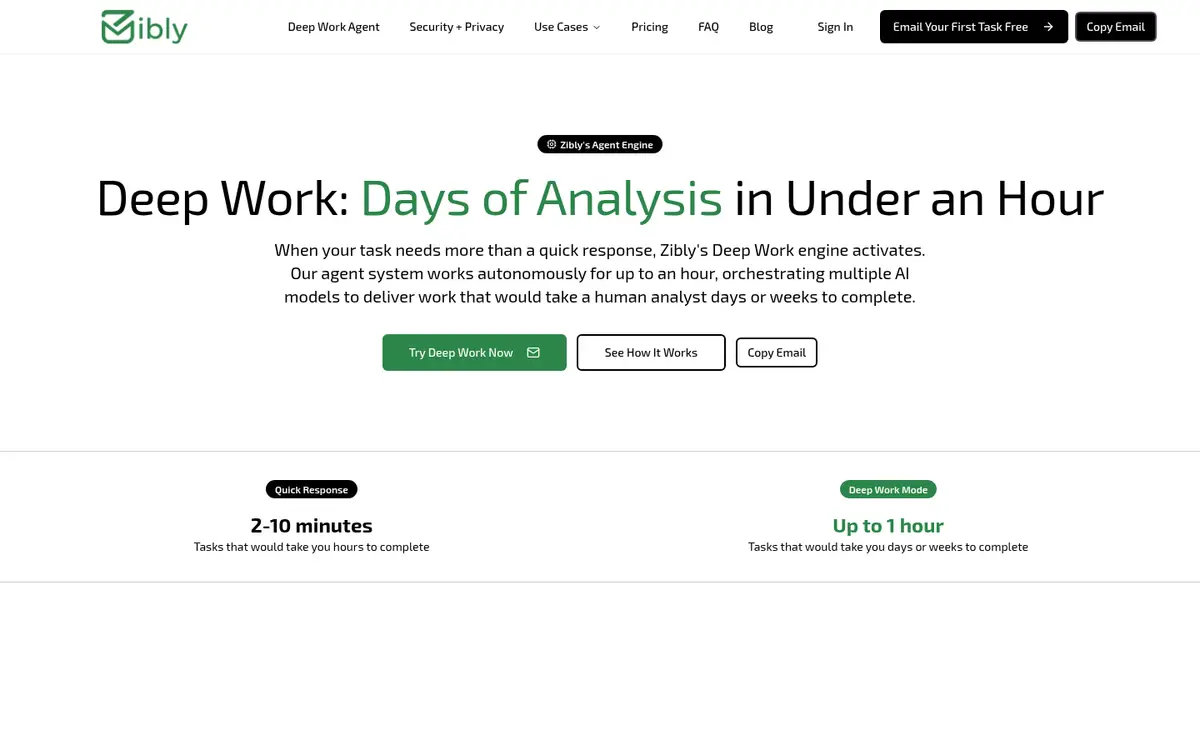
Zibly's first task is free. After that, its solution pages for bankers and consultants say the same deliverable costs from $20, but the plan table on the pricing page did not load on 19 Nov 2026. Quick tasks take minutes, and its Deep Work agent works for up to an hour on bigger ones, using AI models from OpenAI, Anthropic, Gemini and Grok.
Quick picks
Zibly is the first row, for reference. The tools below differ mostly in how you hand over the work: by email, in a chat, inside Excel or in a workspace. The price column matters here too, because Zibly's own plan prices were not readable. Use the "Free" column to see which ones you can test on a real task first.
| Tool | Best for | Type of tool | Price (entry plan) | Works in | Free option | Builds the model for you | Excel file you keep | AI edits your file | Templates library |
|---|---|---|---|---|---|---|---|---|---|
| Deliverables requested by email | Email AI service | From $20; plans unclear | Email; Excel, PowerPoint, Word | Yes: First task free | Yes: DCF, LBO, comps | Yes: Excel files returned | Yes: Builds and updates models | Not stated: Not stated |
 | Firms delegating work to agents | AI agents | Demo only | Excel, Word, PowerPoint, email | No: None listed | Yes: Excel agent builds | Yes: Works in your workbook | Yes: Builds and updates models | Not stated: Not stated |
 | AI you steer in Office | General AI assistant | Not captured | Excel, PowerPoint, web | Yes: Free plan exists | Yes: Creates live models | Yes: Live models in workbook | Yes: Creates and updates | Not stated: Not stated |
 | Buy-side models, decks and memos | AI agent workspace | Plus $60/mo | Web, Excel add-in | Yes: $0 starting tier | Yes: 3-statement, DCF, LBO | Yes: .xlsx with live formulas | Yes: Agents build models | Not stated: Your firm's templates |
 | A ready model you steer | Ready models + AI | $20/mo or $120/yr | Web app, Excel file | Yes: 30 models + free samples | Yes: Fina chat builds it | Yes: .xlsx, formulas visible | Yes: Fina chat edits it | Yes: 500+ models |
 | Hands-on AI model building | AI agent | Free, or $100/mo | Excel, web, desktop, CLI | Yes: 20 credits a week | Yes: Full models | Yes: Your own workbook | Yes: Builds and edits | Not stated: Not stated |
 | Consulting decks from your data | AI deck generator | Free; from $29/mo | Web, PowerPoint add-in | Yes: 10 slides a month | No: Builds slides, not models | No: Slides only | No: No models | Not stated: Your firm's template |
yes · no · not stated in the vendor's sources. Hover a mark for details. From each vendor's own site; prices change, so check before you buy.
1.Endex
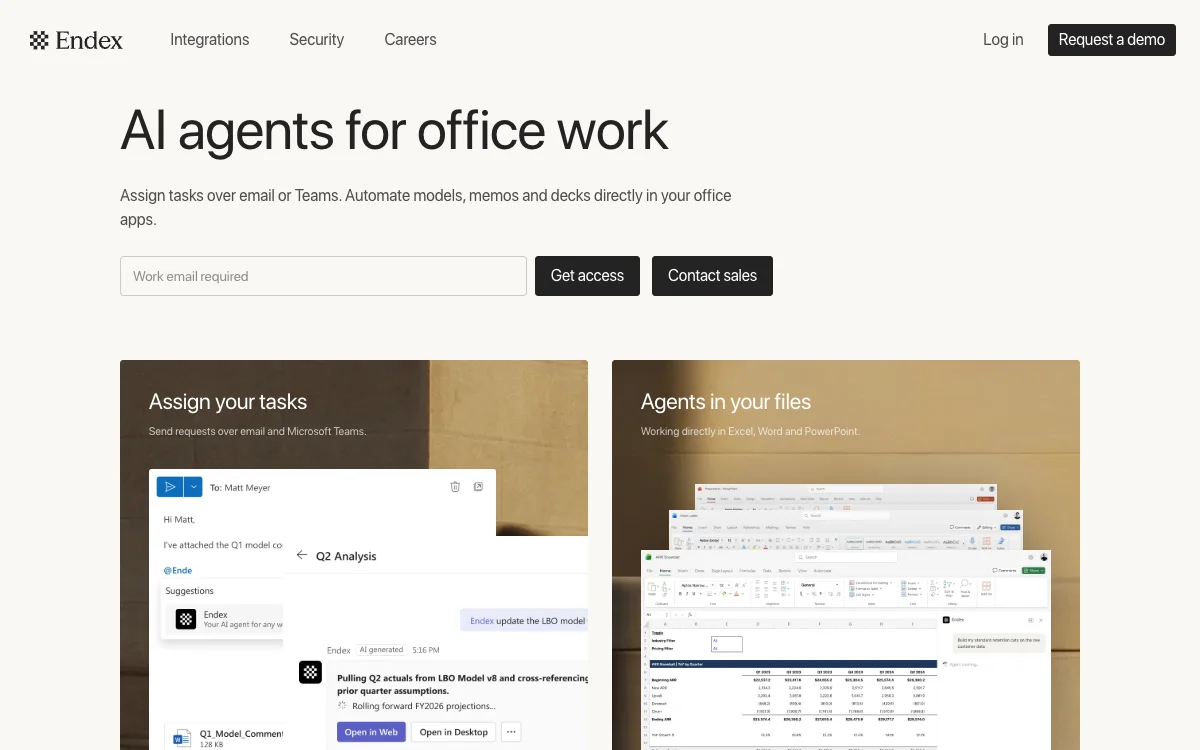
Endex sells AI agents for office work to enterprise teams in private equity, banking, public equity, real estate, corporate finance, accounting and consulting. The agents work inside Excel, Word and PowerPoint.
Like Zibly, Endex takes work by email: you tag Endex in any email to hand over research, drafts or updates. It also takes tasks from Microsoft Teams, Slack, mobile or an API. The Excel agent builds and updates models, and the site shows it working on a consolidated income statement and an LBO update. The PowerPoint agent builds and restyles slides to match the deck, and the Word agent drafts documents with each claim traced to its source.
Custom automations keep a memory between tasks, and the agents leave an auditable trail through the workbook. Connectors cover FactSet, Capital IQ, Morningstar, Yardi, CoStar, Argus, MRI, Intralinks and DealCloud, and the security page lists SOC 2 Type II, ISO 27001 and customer-held encryption keys. It also says customer data is not used for training by default.
So Endex is Zibly's idea built for a firm. The agent works inside your own files rather than sending back attachments, and it can pull from licensed data. The cost is visibility: Endex shows no price and starts with a demo, and its site has four pages with no blog or changelog. Zibly lets one person try a task free today, with no sales call. A team that sends many requests a week, on sensitive data, will find Endex's security and connectors worth the sales process.
- Price
- No public price. Demo or sales contact first.
- Free option
- None listed.
Pros
- Tasks by email, Teams, Slack or API
- Agents work inside your own Office files
- Connectors to FactSet, Capital IQ and Yardi
Cons
- No public price
- Little public product information
Pick it if your firm likes email delegation but needs it inside its own files and data.
2.ChatGPT
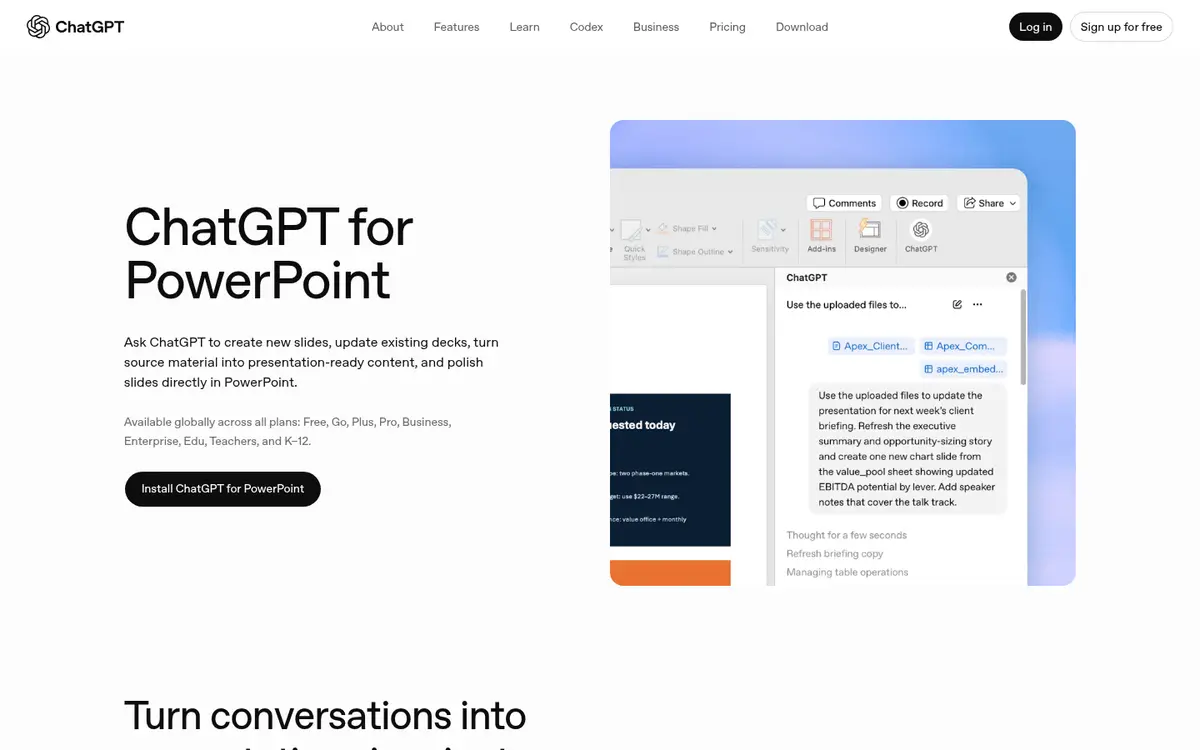
ChatGPT is OpenAI's general AI assistant. Besides the chat app, it has add-ins for Excel and PowerPoint that build and edit workbooks and decks where you work.
ChatGPT for Excel creates or updates live Excel models in the workbook. It can explain why outputs changed, trace and fix errors, and show how assumptions flow through a model, and because the calculations run in Excel, you can check every formula. Chat with Spreadsheets also helps people learn and fix formulas. ChatGPT for PowerPoint is a sidebar that creates, edits and polishes slides while keeping them editable. One sample prompt turns notes and KPIs into a 10-slide board update with an executive summary, a risks slide and next steps.
Plans run from Free, Go, Plus and Pro for individuals to Business and Enterprise for companies, plus plans for schools. ChatGPT Business adds shared workspaces for teams, including finance. The PowerPoint add-in is available on every plan, Free included. If you already use ChatGPT, the add-ins bring the same assistant into Office.
Zibly hands back finished files after a wait; ChatGPT works with you while you watch, so you can correct it at each step. That makes ChatGPT better for work you want to steer, and Zibly better for work you want off your desk. Zibly says its Deep Work agent already uses OpenAI models among others. OpenAI's own help article admits limits on template adherence and some advanced chart and shape edits in PowerPoint. We did not capture ChatGPT's dollar prices, so check the plan page.
- Price
- Plans from Free to Enterprise. We did not capture dollar prices.
- Free option
- A Free plan exists; the PowerPoint add-in is available on it.
Pros
- Works live in Excel and PowerPoint
- PowerPoint add-in on the Free plan
- Lets you steer each step
Cons
- Dollar prices not captured here
- Limits on template adherence in PowerPoint
Pick it if you want to watch and steer the work instead of waiting for an email.
3.Compound
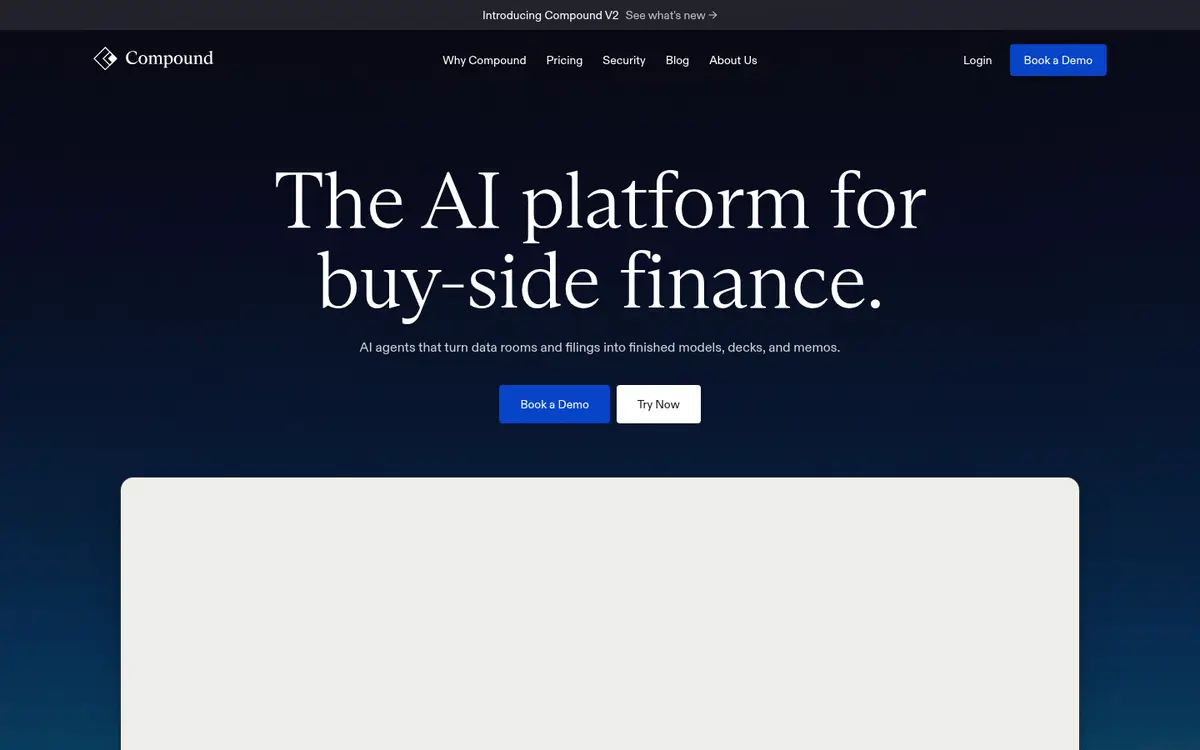
Compound is an AI platform for buy-side finance: its agents turn data rooms and filings into finished models, decks and memos. Teams in PE, VC, growth equity, real estate and hedge funds use it.
You upload a data room or use its built-in SEC filings, financials, transcripts, prices and macro data. Agents then build three-statement, DCF and LBO models as Excel workbooks with live formulas, and write decks and memos from the same material. A citation chain runs from each deck number to a model cell and on to the filing passage, and it survives as cell notes in the downloaded file. Models are recalculated and read cell by cell to catch pasted values and broken formulas.
Agents run in the background and in parallel. Team agents have their own email addresses, so you can send them work the way you would send it to Zibly. You can also comment on a cell or slide to request a change, and work follows your firm's templates.
Compound covers much of what Zibly returns, models, decks and memos, with the work kept in a workspace where you can check it. Prices are published: Plus is $60 a month and Pro starts at $150 a month, with Teams and Enterprise through a demo, and there is a $0 way in. It is narrower than Zibly in audience, aimed at investors rather than attorneys, marketers or students. Private-company data and non-SEC filings are not built in, and its quality claims come from its own PE Bench.
- Price
- Plus $60 a month. Pro from $150 a month. Teams and Enterprise through a demo.
- Free option
- A $0 starting tier; the pricing page showed it as a 14-day free trial on 22 Nov 2026.
Pros
- Team agents with their own email addresses
- Citations from deck to cell to filing
- Published prices
Cons
- Built for investors only
- Private-company data not built in
Pick it if you invest on the buy side and want Zibly-style outputs you can check in one workspace.
4.Finamodel

Finamodel is a library of ready Excel financial models with an AI assistant called Fina. Zibly returns a one-off file by email; Finamodel gives you a finished model and an ongoing chat to change it.
You open a model, such as a DCF, an LBO or a comparable company analysis, and tell Fina what to change. It updates the model while you watch, and you can keep asking: a lower exit multiple, a new revenue line, an explanation of a formula. A typical first request is "use our revenue for the last three years and a 9% discount rate". Fina builds, edits, explains and fixes the model, and version history lets you restore any earlier file. You download a real .xlsx file with every formula visible, and it works without Finamodel in Excel, Google Sheets and Numbers.
There is no waiting for an email and no unclear turnaround: the model is there when you open it. Prices are listed, and you can try one of 30 free models with live formulas, or a free sample of any other model without formulas, sent by email link. Read-only links to QuickBooks, Google Sheets, Google Drive and 42 other apps can bring in your figures, and a voice walkthrough explains a model out loud.
Finamodel covers only part of what Zibly does. It makes Excel financial models only: no decks, no memos, no form filling, no document summaries. It does not take requests by email, and you work in the Finamodel app rather than in your own inbox or workbook. Support is by email. The library is free to browse, so you can check a model fits before you pay. For a banker or student who mainly sends Zibly model requests, it is a steadier route with a listed price; for anyone who needs a deck too, Zibly or Perceptis covers that part.
How it works
- Pick a ready model, such as a DCF or a 3-statement model, from a library of more than 500.
- Ask Fina chat to change, explain or fix it for your case and your numbers.
- Download a real .xlsx file. Every formula is visible, and it works without Finamodel. It opens in Excel, Google Sheets and Numbers.
- Price
- Models plan: $20 a month or $120 a year. All Templates: $30 a month or $144 a year. You can cancel at any time.
- Free option
- 30 free models with live formulas, and a free sample of every other model, with values but no formulas. Both are sent by email link, one model email per email address per day. The library is free to browse.
Better than Zibly at
- A model you keep changing in chat
- Listed prices, no waiting on email
- Version history restores any earlier file
Worse than Zibly at
- Excel models only: no decks or memos
- No email delegation
- Support is by email only
Models that fit: DCF Model, LBO Model, Comparable Company Analysis.
Pick it if you want to shape the model yourself in a chat, not wait for an attachment.
5.Shortcut
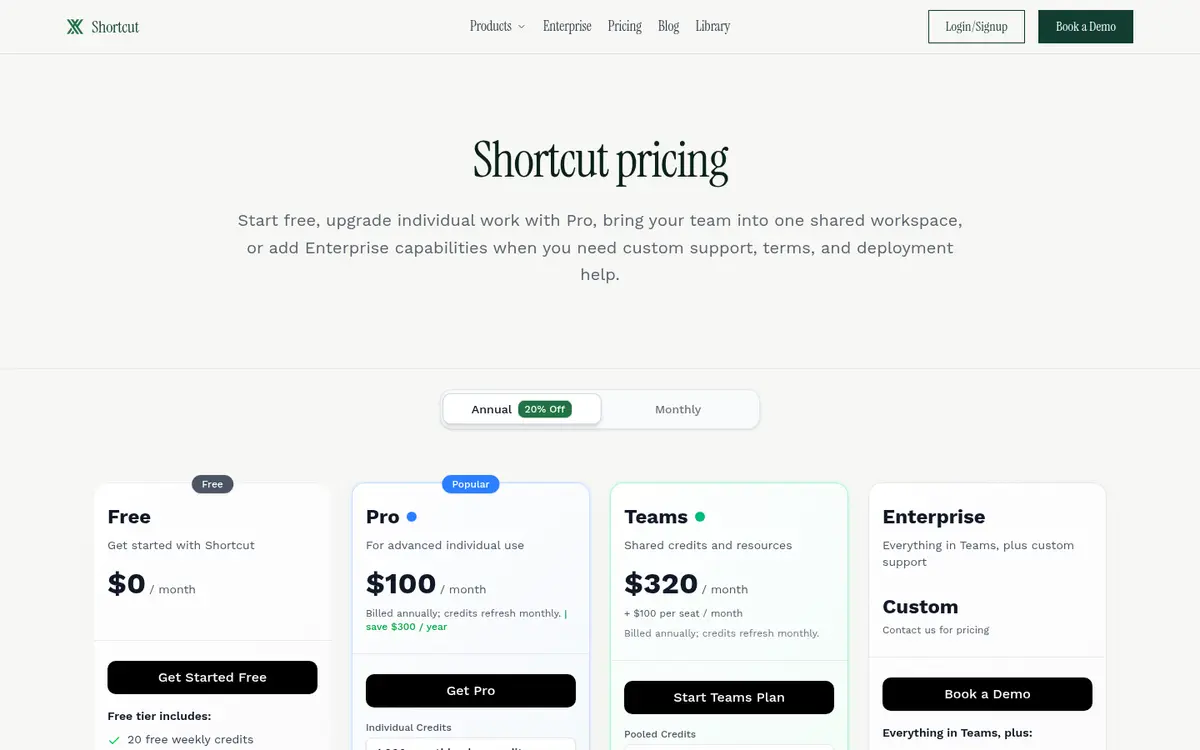
Shortcut, from Fundamental Research Labs, is an AI agent that builds and edits Excel financial models. It works as an Excel add-in, a web app, a Windows desktop agent and a command-line tool.
You type what you need and watch the agent write the model; Shortcut's showcase is a full LBO with more than 400 linked formulas. It shows code changes before it alters a workbook's structure, so you approve each step, and its audit skill reviews models by default. Outputs can be traced to source files, saved skills repeat a task, and workflows can run on a schedule.
Hedge funds, PE firms, banks, asset managers, FP&A teams, family offices and consulting and accounting firms are among its users. You can pick third-party AI models or Shortcut's own Pivot model. Live web dashboards let you share results with people who do not open Excel, and enterprise plans add single sign-on and on-premises hosting.
Zibly and Shortcut can both deliver a DCF or an LBO. The difference is control. With Zibly, you send the request and wait; with Shortcut, you sit in the workbook and approve the changes as they happen. Shortcut also publishes every price: free with 20 credits a week, Pro at $100 a month billed yearly and Teams at $320 a month plus $100 a seat. That is more than Zibly's "from $20" per deliverable, but you get as many models as your credits allow. Shortcut makes no decks or Word documents, and its accuracy claims come from its own benchmark.
- Price
- Pro $100 a month billed yearly. Teams $320 a month plus $100 a seat.
- Free option
- A free plan with 20 credits a week.
Pros
- Approve each structural change before it runs
- Published prices and a free plan
- Live dashboards to share results
Cons
- No decks or Word documents
- Pro costs $1,200 a year
Pick it if you want to build the model with AI yourself rather than wait for it.
6.Perceptis
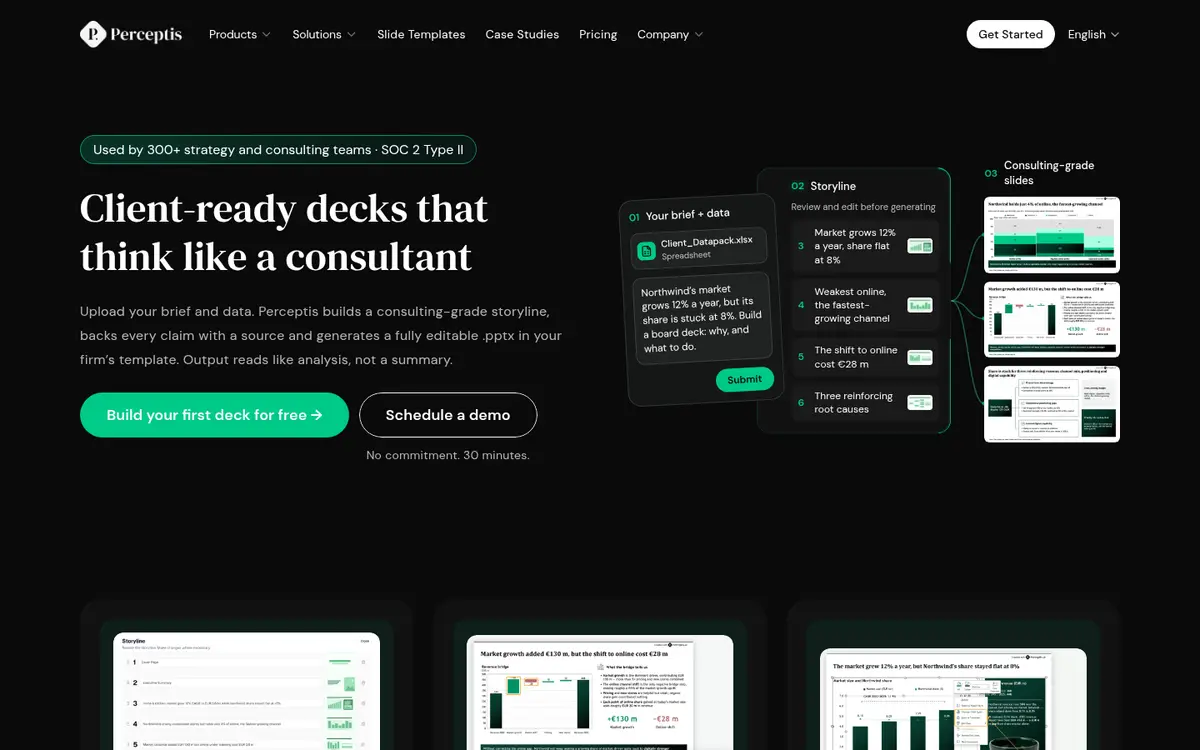
Perceptis is an AI deck generator for strategy, consulting and advisory firms and private equity teams. You upload a brief and data, and it builds a storyline and a fully editable .pptx in your firm's template, with sources behind its claims.
It works in a web app called Slidekick and in a PowerPoint add-in. Storyboards follow consulting structure, with situation, complication and resolution and insight headlines, and you review the storyline before it generates. Output includes editable charts, tables and complex visuals such as maps, Gantt charts, roadmaps and funnels. It can connect to a knowledge base of past decks and research, and since September 2026 its API can edit a .pptx you upload.
Perceptis says more than 300 strategy and consulting teams use it. Enterprise customers can add a human quality-check service for documents, and Business and Enterprise plans get a REST API. The PowerPoint add-in installs from the Microsoft Marketplace, so you can work in the deck you already have open. Citations are added to factual statements automatically, which helps when a partner asks where a number came from.
For a consultant who uses Zibly mainly for decks, Perceptis is the specialist. It shows its prices: a free plan with 10 slides a month, Starter at $29 a month, Pro at $129 a month and Business at $390 a month for up to 20 seats. It does not build Excel models or memos, which Zibly does, and its PowerPoint add-in is labelled beta. Its benchmark claims are its own statements about third-party tests.
- Price
- Starter $29 a month, Pro $129 a month. Business $390 a month for up to 20 seats.
- Free option
- A free plan with up to 10 slides a month.
Pros
- Editable .pptx in your firm's template
- Automatic citations on factual claims
- Free plan and published prices
Cons
- Slides only, no Excel models
- PowerPoint add-in still in beta
Pick it if you mainly send Zibly deck requests and want a tool built for consulting slides.
Who should pick what
Zibly's appeal is that you send work and get files back. Ask yourself whether you want that hands-off style at firm scale, would rather steer the work, or mainly need one kind of output. Those three answers sort the tools below into clear groups, each with a different way of working.
- Email delegation at firm scale, inside your own files: Endex.
- AI you steer live in Excel or PowerPoint: ChatGPT or Shortcut.
- Buy-side models, decks and memos from a data room: Compound. Consulting decks only: Perceptis.
- A ready Excel model you change in an ongoing chat: Finamodel.
Use Zibly's free first task as a benchmark. Send the same request, with the same files, to two or three of these tools and compare the output and the time it took. Check the formulas in each model before you share it, whichever tool built it.
Frequently asked
How much does Zibly cost?+
Zibly's pricing page showed only "Loading pricing..." when we checked on 19 Nov 2026. Its solution pages for bankers and consultants say the same deliverable costs from $20, and your first task is free.
Is there a free version of Zibly?+
Your first task is free. We found no ongoing free plan. Among the alternatives, ChatGPT and Shortcut have free plans, and Finamodel gives 30 free models with live formulas and a free sample of every other model.
What are the main Zibly alternatives?+
For email delegation inside your firm's files: Endex. For AI you steer in Excel or PowerPoint: ChatGPT and Shortcut. For buy-side models and decks: Compound. For consulting decks: Perceptis. For a ready Excel model that AI changes for your case: Finamodel.
How long does Zibly take?+
Zibly states it two ways. Its investment banking page says 6 to 24 hours, while its features page says minutes, or up to an hour for Deep Work tasks. Ask before you rely on it for a deadline.
Zibly vs Finamodel: which should I pick?+
Pick Zibly if you want to email a request and get Excel, PowerPoint or Word files back. Pick Finamodel if you want a ready Excel model you can keep changing in chat, at $20 a month or $120 a year.
Sources for Zibly (6), last checked 19 Nov 2026+
- zibly.ai · Homepage positioning · 10 Nov 2026
- zibly.ai · IB page, 'from $20' claim · 10 Nov 2026
- zibly.ai · Consultants page, 'from $20' claim · 10 Nov 2026
- zibly.ai · Features and Deep Work · 10 Nov 2026
- zibly.ai · Pricing page re-check: 'Loading pricing...' · 19 Nov 2026
- zibly.ai · Blog re-check: 'No posts yet' · 19 Nov 2026
Each alternative's own page lists its sources.


