Revenue Waterfall Dashboard
Corporate Finance Excel Template (Free Download)
Map subscription, license, services, and hardware bookings through stream-specific recognition into deferred revenue, with YTD lag and conversion metrics that reconcile bookings to recognized revenue.



professionals from Deloitte
Used by professionals from






About this dashboard
The Revenue Waterfall dashboard shows how subscription, license, services and hardware bookings translate into recognised revenue over 12 months. Review YTD bookings, YTD revenue, closing deferred revenue, recognition lag and revenue-to-bookings conversion by stream to see where billing and revenue timing diverge.
The supporting workbook applies a separate recognition period to each stream. Subscription and services revenue is spread over time, while license and hardware revenue is recognised at booking. Monthly schedules track opening deferred revenue, new bookings, recognised revenue and closing balances. A reconciliation check connects the closing total with cumulative bookings and revenue, making the summary traceable to its underlying movements.
Use the dashboard for monthly close reviews, forecast updates and discussions of revenue timing. CFOs, revenue accountants, controllers and FP&A teams can compare streams, review deferred balances and assess changes to recognition periods. Bookings can be replaced with invoiced amounts in the supporting schedule when preparing a view based on actual activity.
What every dashboard includes
Live formulas, no hardcoded values
Outputs are driven by live formulas, so the workbook updates from its assumptions instead of relying on hardcoded results.
All assumptions in one tab
Inputs are clearly marked in the Assumptions tab and separated from calculations, making it clear what to change and what to leave intact.
Statements always balancing
For integrated-statement models, the balance sheet, cash flow, and supporting schedules tie through properly.
Distinct schedules for clarity
Debt, working capital, taxes, and cash flow can get messy quickly. We group calculations in clear schedules, not across disconnected tabs.
No hidden macros or external links
There are no unexplained external workbook links or macros to undermine auditability or portability.
Changes flow through the model
Update a key driver and see the impact carry through the forecast, financing, and return outputs. We never use hardcoded numbers in formulas.
What's inside the Revenue Waterfall Dashboard
- 12-month bookings across subscription, license, services, and hardware
- Stream-specific ratable and point-in-time recognition logic
- Per-stream deferred-revenue roll-forward
- Closing-balance reconciliation check
- YTD lag and revenue conversion summary
- Editable recognition periods and opening deferred balances
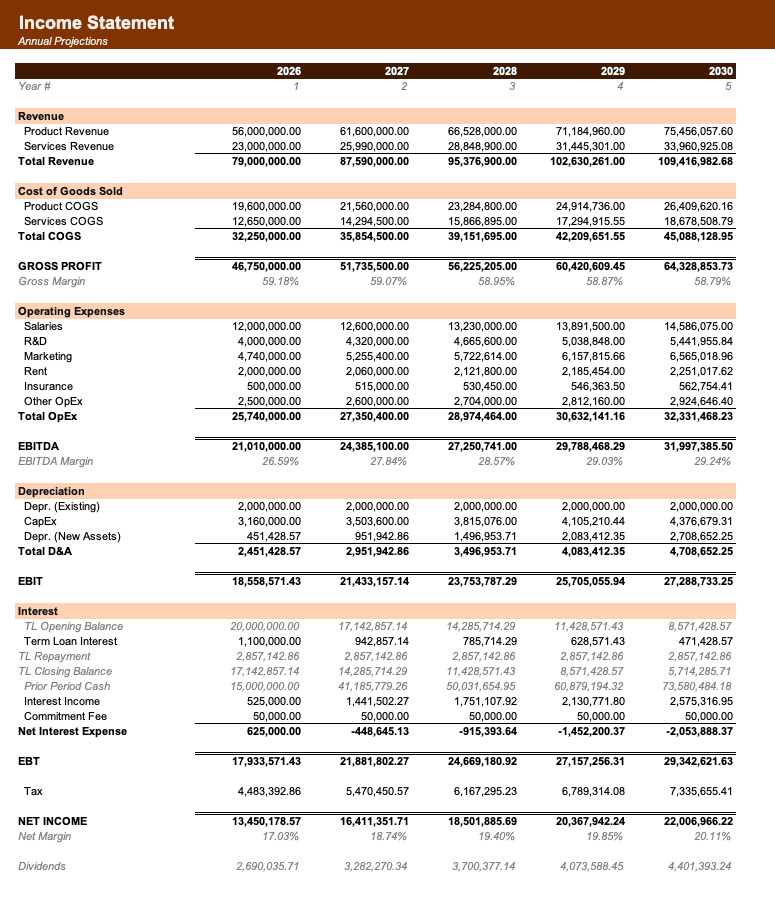
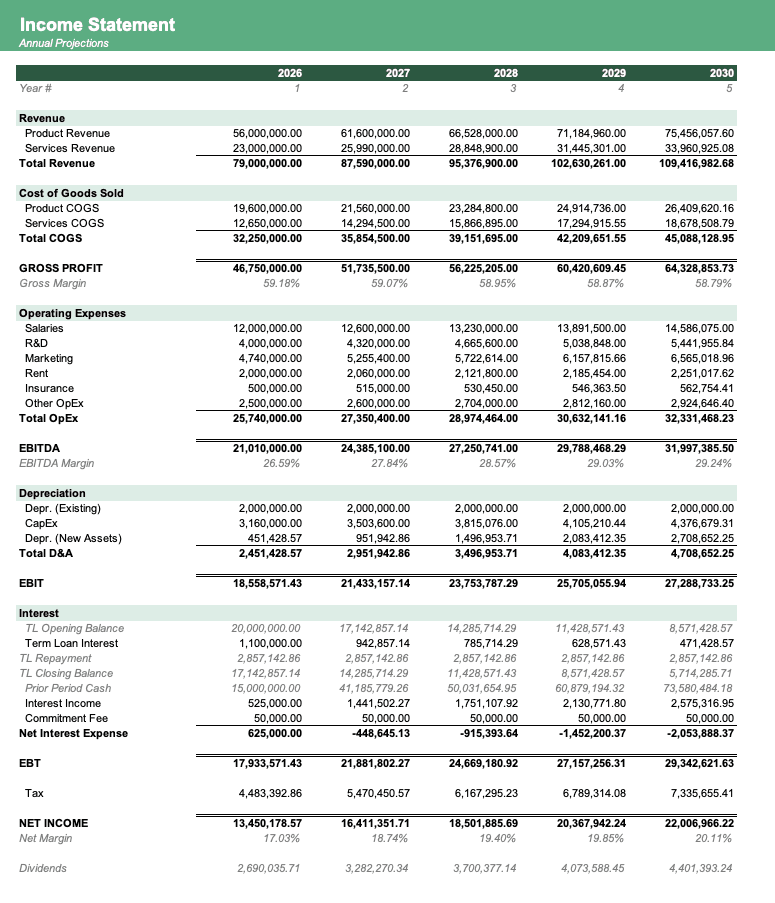
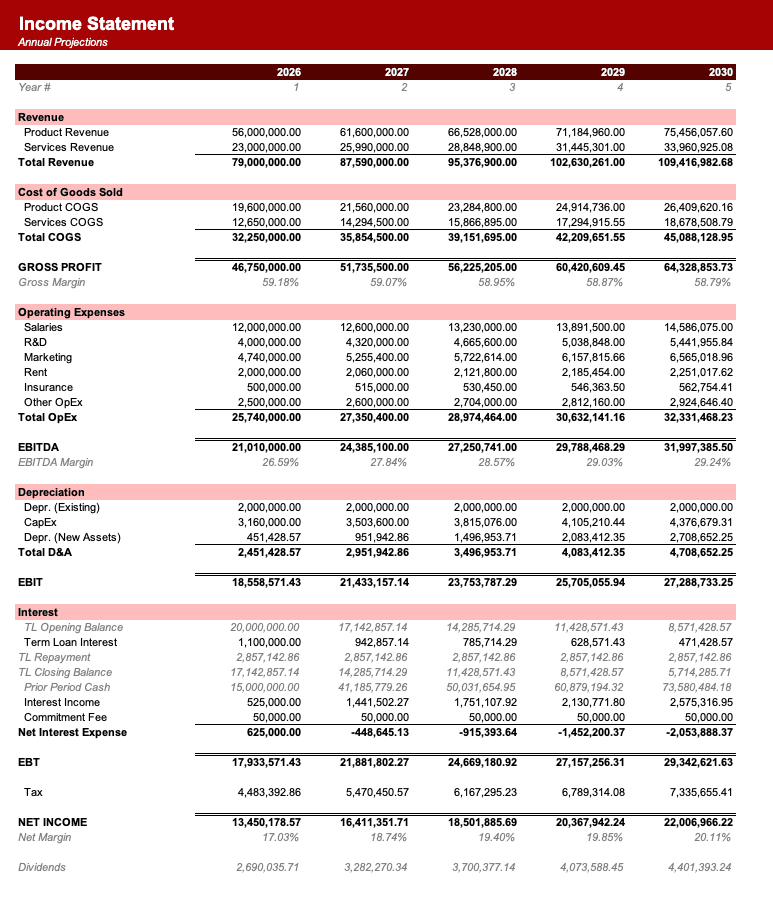
Formatted to IB standards
Named theme colors repaint the whole workbook in one click, on top of an investment-banking structure with clear input, output, and cross-sheet reference styling - brand-ready, institutional-grade, and fully auditable.

Created by ex-finance professionals
Hey, I’m Alex and I created Finamodel.
Over my years in the finance industry I kept building the same models over and over again. Same structure, same assumptions, different logo. So I started building frameworks to turn them into clean, reusable templates.
Every model here is one I’d actually use for a client, and I personally vet each one before it goes up.
I’m not an expert in every industry, but I’ve built enough models to know what belongs in one. And when something is completely foreign to me, I reach out to my network for experts to work on our models with us.
Having a template library on hand cuts a first build from hours to minutes.
Need help finding your model? You’ll find me in the Finamodel app!
Frequently asked
How are the four revenue streams recognized?+
Subscription bookings are spread ratably across the recognition period, defaulting to 12 months. Services use a default three-month ratable period. License and hardware are recognized in the booking month, so each stream’s timing remains visible separately in the Recognition sheet.
What does the deferred-revenue roll-forward show?+
For each stream, closing deferred revenue equals the prior closing balance plus bookings minus recognized revenue. The workbook also provides a check row that ties the closing total to opening deferred revenue plus cumulative bookings less cumulative revenue.
Can I use actual invoiced bookings?+
Yes. Replace the formula-driven monthly values on the Bookings sheet with invoiced amounts for each stream. The Recognition, Deferred Revenue, and Summary sheets then recompute, while the closing-balance check highlights any roll-forward inconsistency.
Can recognition periods be changed?+
Yes. Recognition periods are editable assumptions for each stream. Changing the subscription or services period recalculates the recognition schedule, deferred-revenue balances, YTD results, recognition lag, and conversion metrics throughout the workbook.
Does this model track cash collection?+
No. Bookings are treated as billings or invoiced amounts rather than cash receipts. The model focuses on recognition timing and deferred revenue; pair it with a cash-flow or three-statement model when collection timing is required.
Have more financial modelling questions? Contact us
Related dashboards
Financial Health Dashboard
12-month liquidity, solvency, profitability, and efficiency ratio dashboard.
Board Reporting Pack Dashboard
A board KPI dashboard with 24-month trends, MoM and YoY changes, YTD comparisons, and a one-page reporting summary.
Cash Flow Dashboard
Monitor receipts, payments, debt service, and closing cash for practical weekly or monthly liquidity planning.
Income Statement Dashboard
Headline revenue, profit, margin, workforce productivity, revenue mix, and earnings bridge metrics for a five-year income statement.


