 By Alex Tapio
 Varyn CFO alternatives
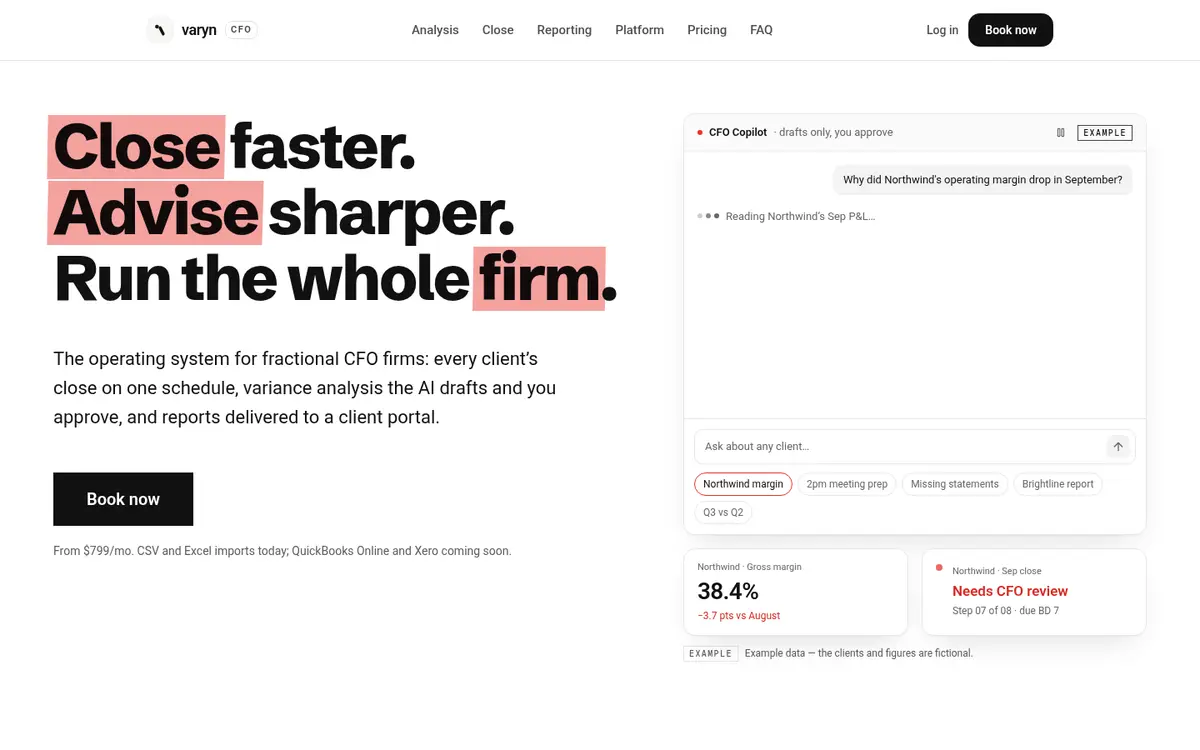
People look for Varyn CFO alternatives for three main reasons. The first is price: plans start at $799 a month, a large fixed cost for a solo CFO with two or three clients. The second is data: the QuickBooks Online and Xero integrations are marked coming soon, so for now every close starts with a file import. The third is maturity. The product walkthrough uses fictional example data, and our sources show no customer numbers or reviews, so it is hard to judge how it performs on real client work.
What is Varyn CFO?
Varyn CFO is an operating system for fractional CFO firms. It puts every client's month-end close on one schedule, has AI draft the variance analysis for a person to approve, and delivers reports to a client portal. The figures are calculated in code from a trial balance you import, and the AI only drafts the explanation; in Varyn's words, you decide whether it is right. Today, data comes in through CSV and Excel imports. Its users are fractional CFO firms and agencies that run the close and reporting for several clients at once.
Varyn CFO at a glance
Varyn CFO publishes one price. The Founding plan costs $799 a month and covers up to 10 clients and 5 team seats. A Scale plan is for firms with more than 25 clients, and its price is not stated; neither is the plan for a firm with 11 to 25 clients. We found no free trial or free plan in our sources. What you get is the shared close schedule, AI-drafted variance analysis that a person approves, and the client portal.
Quick picks
Varyn CFO is the first row, for comparison. All six options serve client finance work, but they split on two points: how the price scales with your number of clients, and where the work ends up. Check the price column against your client count first. Then look at the Excel columns, because only some of these tools give you a file you keep.
| Tool | Best for | Type of tool | Price (entry plan) | Works in | Free option | Builds the model for you | Excel file you keep | AI edits your file | Templates library |
|---|---|---|---|---|---|---|---|---|---|
| Close and reporting across clients | Practice OS | From $799/mo | Web app | Not stated: No trial stated | Not stated: Not stated | No: Reports in client portal | No: AI drafts variance notes | Not stated: Not stated |
 | Per-client practice platform | Practice platform | From $49 per client/mo | Web, Excel, Google Sheets | Yes: 14-day trial | Yes: 3-statement, 13-week cash | Yes: Two-way Excel sync | Yes: Sherpa changes the model | Not stated: Not stated |
 | AI-built forecasts from the books | FP&A web app | Firms from $1,499/mo | Web app | Yes: 14-day free trial | Yes: 5-year model from books | No: Excel is an input | No: Builds in web app | Not stated: Not stated |
 | AI copilots on existing models | AI workspace | From $49/mo | Web app | Not stated: Not stated | Not stated: Not stated | No: Insights in workspace | No: Adjusts assumptions in app | Not stated: Not stated |
 | A client model in Excel | Ready models + AI | $20/mo or $120/yr | Web app, Excel file | Yes: 30 models + free samples | Yes: Fina chat builds it | Yes: .xlsx, formulas visible | Yes: Fina chat edits it | Yes: 500+ models |
 | Client reports for accounting firms | Reporting web app | From $149/mo | Web app | Yes: 30-day free trial | Not stated: Not stated | Not stated: Not stated | No: AI analytics only | Not stated: Not stated |
 | Low-cost AI agents on books | AI finance agents | $30 or $50 a month | QuickBooks, Xero | Yes: 14-day free trial | Not stated: Not stated | No: No Excel output described | No: Not an Excel tool | Not stated: Not stated |
yes · no · not stated in the vendor's sources. Hover a mark for details. From each vendor's own site; prices change, so check before you buy.
1.Alpyne
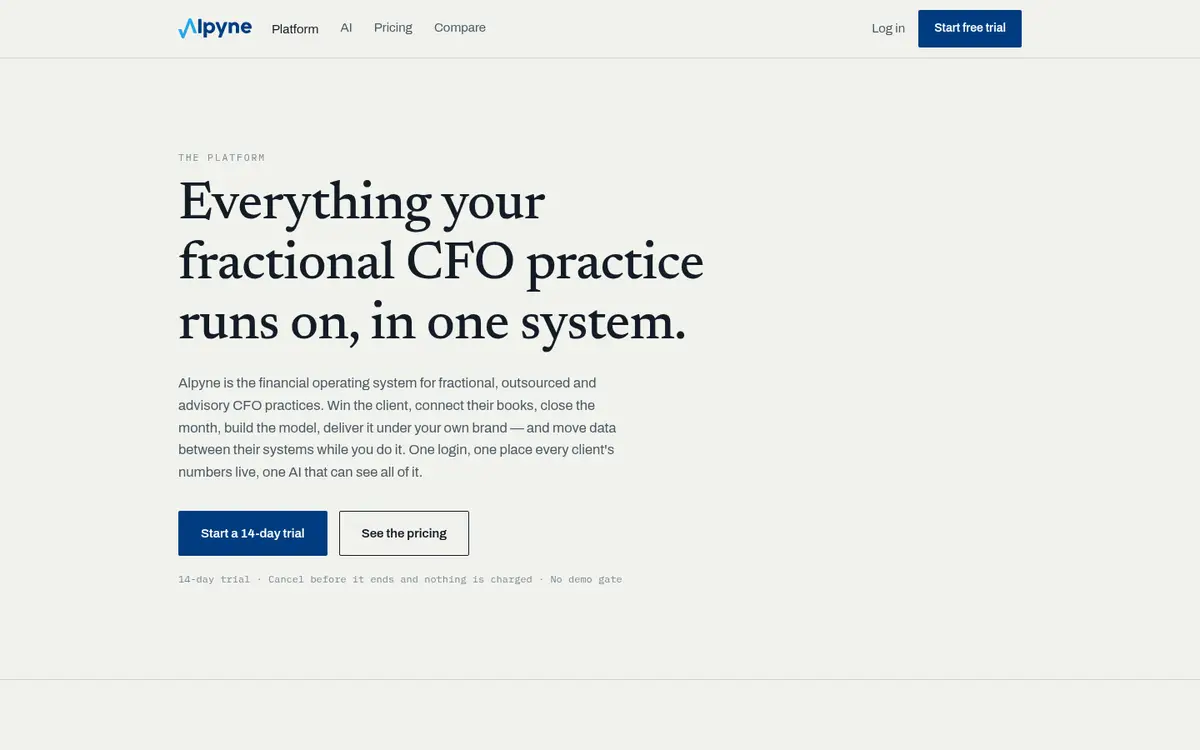
Alpyne is a finance operating system for fractional, outsourced and advisory CFO practices that serve several clients. It connects each client's books, closes the month, builds three-statement models and rolling 13-week cash forecasts, and delivers white-labelled reports through a client portal.
A typical month looks much like it does in Varyn: connect a client, run the close, then send reports under your own brand. The difference is the model layer. Alpyne keeps a three-statement model and a 13-week cash forecast for each client, and its AI analyst, Sherpa, answers questions about the model and can change it. From the Advisory plan up, data syncs both ways with Excel and Google Sheets; Alpyne says it feeds those tools rather than replacing them. Claude or ChatGPT can also work on the same data through a server connection.
Its pricing suits a firm that is still growing. You pay per client: $49 a month for Reporting, $99 for Advisory and $199 for Full-stack, with 10% off at 5 clients, 20% off at 10, and a further 15% off for annual billing. A Practice add-on costs $99 a month and is included from 15 clients.
Against Varyn, Alpyne is cheaper to start and easier to try. Three clients on the Reporting plan cost $147 a month, against Varyn's $799, and there is a 14-day trial. It already connects to client books, while Varyn's QuickBooks Online and Xero links are still coming soon. Two cautions: Alpyne's site states that it is not SOC 2 certified, and the pages we read show no reviews or customer numbers. Varyn's rule that figures are computed in code, with AI drafting only the words, is also more explicit than anything Alpyne states.
- Price
- Reporting $49, Advisory $99, Full-stack $199 per client per month, with volume and annual discounts.
- Free option
- A 14-day trial.
Pros
- Per-client prices from $49 a month
- Two-way sync with Excel and Google Sheets
- 14-day trial
Cons
- Not SOC 2 certified, per its own site
- No reviews or customer numbers stated
Pick it if you want a practice platform that prices per client and keeps Excel in the loop.
2.Clockwork

Clockwork is AI-native FP&A software. You connect QuickBooks or Xero, or give it a spreadsheet, and its AI builds a 5-year three-statement model, a 52-week cash flow forecast and dashboards. It sells to businesses and to accounting, CPA and fractional CFO firms that do advisory work.
Once the books are connected, Clockwork builds the model itself, so there is no spreadsheet to set up. Mira, its AI feature, answers questions against the model and surfaces insights. Advisory firms get a client portal to share the results. Clockwork accepts Excel and Google Sheets as inputs, but the model you work on stays in its web app.
It fits a firm whose advisory work looks forward: cash runway, hiring plans and five-year forecasts. Firm plans start at $1,499 a month with unlimited users, billed annually, which is 25% less than monthly billing. Higher firm tiers cost $2,999 and $5,999 a month, and plans for a single business start at $719 a month. There is a 14-day free trial, and firms get a guarantee: sign your next advisory client, or Clockwork is free until you do. Clockwork calls itself an official Thomson Reuters FP&A partner and says it has more than 1,000 users.
Varyn and Clockwork solve different parts of the job. Varyn looks back: it runs the close and explains last month's variances. Clockwork looks ahead and builds the forecast. Clockwork connects to QuickBooks and Xero today, has a trial and states some traction, where Varyn is early. It costs more, though: the firm entry price is nearly twice Varyn's $799, and it does not describe a close schedule across clients.
- Price
- Firm plans from $1,499 a month billed annually; business plans from $719 a month.
- Free option
- A 14-day free trial; firms also get a 90-day client guarantee.
Pros
- Builds a 5-year model and 52-week forecast from the books
- Unlimited users on firm plans
- 90-day client guarantee for firms
Cons
- The model stays in the web app
- Firm plans start at $1,499 a month
Pick it if your firm sells forecasts and cash planning more than monthly close work.
3.Knolli
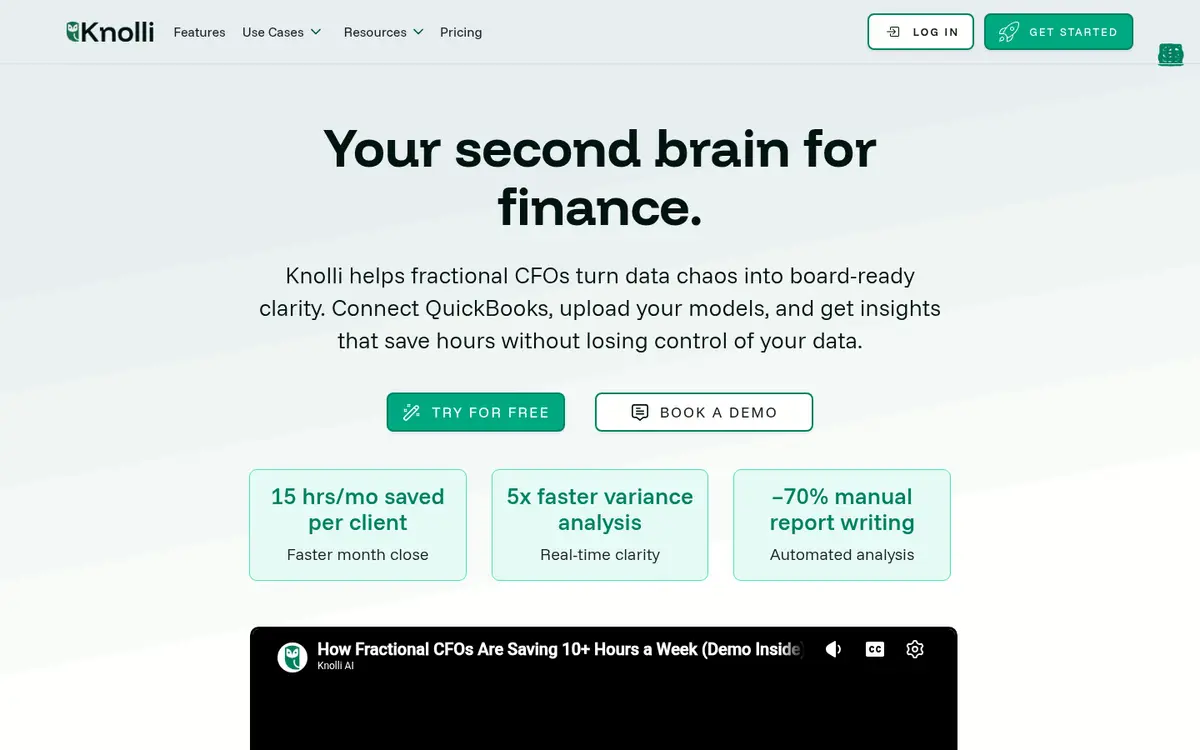
Knolli is an AI workspace for fractional CFOs. You connect QuickBooks or Xero, or upload the models you already use, and then run copilots for cash flow forecasts, budgets and scenarios, variance analysis and investor narratives. It is one product of knolli.ai, a wider AI copilot business.
The work happens in Knolli's workspace. A copilot reads the client's books or your uploaded model and drafts the analysis, such as why margin moved or how a new scenario changes cash. Knolli says the copilots adjust assumptions without rebuilding spreadsheets. The output is insights and written narratives inside Knolli, not an Excel file. Firms that want their own brand on it can ask about white-label and private-cloud options.
It suits a fractional CFO who already has working models and wants AI to speed up the analysis and the writing around them. Prices are published: Starter $49, Growth $199 and Business $499 a month, or $39, $159 and $399 a month billed annually. Enterprise is custom. Our sources do not say how many clients each tier covers. Knolli shows named testimonials from advisory firms, but no review scores.
Next to Varyn, Knolli is much cheaper to start and connects to QuickBooks and Xero today. It also works with your existing models, where Varyn calculates from an imported trial balance. What Knolli does not describe is the practice side: a close schedule for every client and a portal for delivering reports. If those are what you need, Varyn or Alpyne fits better. If the bottleneck is analysis and commentary, Knolli is the lighter choice.
- Price
- Starter $49, Growth $199, Business $499 a month, or $39, $159, $399 a month billed annually. Enterprise custom.
- Free option
- Not stated in our sources; its page shows a Try for free button.
Pros
- Published prices from $39 a month
- Works with models you upload
- Connects QuickBooks or Xero
Cons
- Output stays in Knolli, not an Excel file
- No close workflow or portal in our sources
Pick it if you have your own models and want AI help with the analysis and the write-up.
4.Finamodel

Finamodel is a library of ready Excel financial models with an AI assistant called Fina. It is not a practice platform. It gives a CFO a finished model, such as a cash flow forecast or a budget vs actuals tracker, that Fina changes for a client's case.
In practice you pick a model, open it in Fina chat and describe the client in plain words. Fina builds, edits, explains and fixes the model, and version history lets you restore any earlier file. Read-only links to QuickBooks, Google Sheets, Google Drive and 42 other apps can bring the client's figures in. When you are done, you download a normal .xlsx file with every formula visible. It works without Finamodel and opens in Excel, Google Sheets and Numbers, so you can send the file straight to the client.
It suits a fractional CFO who builds models for clients: a cash flow forecast for a tight quarter, a budget for next year, a board pack. Fina can also give a voice walkthrough of a model, which helps a client understand a file before a meeting. The library is free to browse, and you can test one of 30 free models or a free sample of any other model. Paid plans are self-serve, with no demo and a 14-day money-back guarantee on the first paid plan.
Compared with Varyn, Finamodel covers a different part of the job. It has no close schedule, no client portal, no team seats and no workflow for approving AI commentary. It does not compute the month from a trial balance, and support is by email. What it adds is the model itself: a forecast or budget you hand over as a file the client keeps. Many firms will want both, a practice tool for the monthly cycle and Finamodel when a client asks for a model.
How it works
- Pick a ready model, such as a DCF or a 3-statement model, from a library of more than 500.
- Ask Fina chat to change, explain or fix it for your case and your numbers.
- Download a real .xlsx file. Every formula is visible, and it works without Finamodel. It opens in Excel, Google Sheets and Numbers.
- Price
- Models plan: $20 a month or $120 a year. All Templates: $30 a month or $144 a year. You can cancel at any time.
- Free option
- 30 free models with live formulas, and a free sample of every other model, with values but no formulas. Both are sent by email link, one model email per email address per day. The library is free to browse.
Better than Varyn CFO at
- A client model as an Excel file you keep
- Self-serve, with monthly billing and no demo
- Fina chat edits the model for each client
Worse than Varyn CFO at
- No close workflow or client portal
- No team seats or approval flow for AI drafts
- Support is by email only
Models that fit: Cash Flow Model, Budget vs Actuals Tracker, Board Reporting Pack.
Pick it if a client needs a forecast or budget model in Excel, not another portal.
5.Reach Reporting
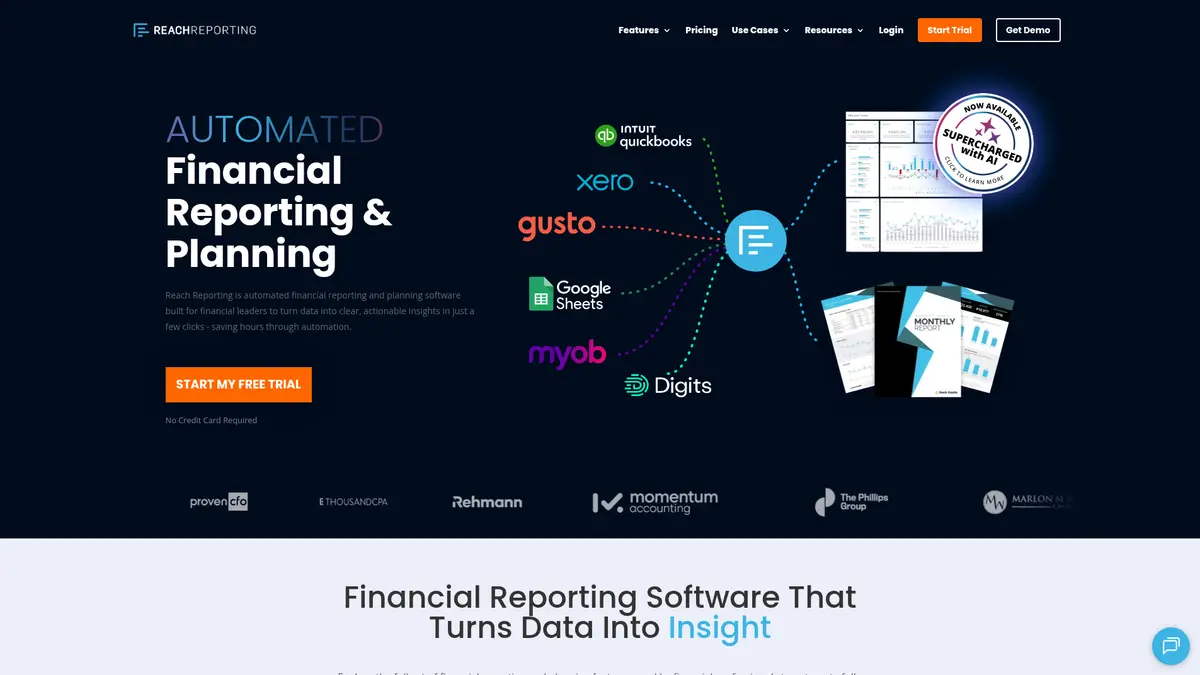
Reach Reporting is financial reporting and planning software built for accounting firms and CAS teams. It combines financial statements, dashboards, three-way budgeting and forecasting, consolidation and a client portal. Its users are accounting leaders, advisors and CFOs.
You connect a client's data source and Reach turns it into statements, dashboards and reports. It connects to QuickBooks Online, Xero, Digits, MYOB, Google Sheets and Excel. Three-way budgets and forecasts sit next to the actuals, consolidation rolls up groups of entities, and the client portal delivers the result. The AI part is one named feature, Automated AI Analytics, and our sources say little more about it.
Reach fits firms whose service is monthly reporting and planning for many clients, and that want proof from peers before they buy. It lists case studies from named firms, including Summit Virtual CFO by Anders, ProvenCFO, Momentum Accounting and KynLi Consulting. Pricing is based on the number of data connections and starts at $149 a month. The tiers above that are not itemised, so a firm with many clients should ask for a quote. A 30-day free trial is available.
Beside Varyn, Reach is the established choice: data connections that work today, named customers and a free trial. It also adds budgeting, forecasting and consolidation, which Varyn does not list. Where Varyn may fit better is the AI layer. Varyn drafts the variance explanation for you to approve, while Reach names only one AI feature. Varyn also puts every client's close on one schedule, which Reach does not describe.
- Price
- From $149 a month, based on the number of data connections.
- Free option
- A 30-day free trial.
Pros
- Connects QuickBooks Online, Xero, MYOB, Digits and more
- Case studies from named CFO firms
- 30-day free trial
Cons
- Only a starting price; tiers not itemised
- Thin AI features
Pick it if you want proven client reporting and planning with live data connections.
6.Finoya
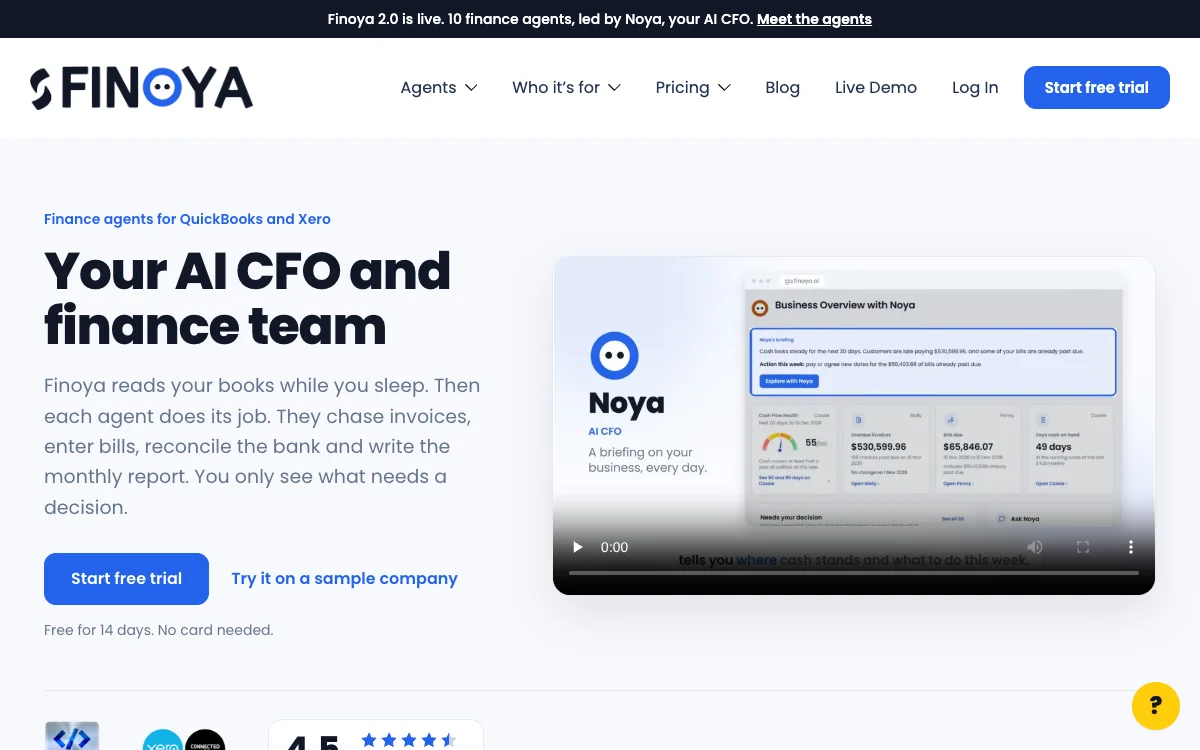
Finoya offers ten named AI finance agents, led by Noya, which it calls your AI CFO. The agents cover cash, monthly reports, receivables, payables, reconciliation, anomalies, expenses, budgets and valuation for businesses on QuickBooks or Xero. Its site names small businesses, accountants and bookkeepers, and fractional CFOs as users.
Finoya reads the books and each agent does its own task, from chasing invoices to writing the monthly report. A 12-month cash projection comes with sliders to test changes. Its rule on numbers is close to Varyn's: every figure comes from your books and is worked out in code, and the AI model only writes the words around those figures. We found no Excel model output in our sources.
The price is the main draw. Basic costs $30 a month for 5 agents and Ideal costs $50 a month for all 10, with a 14-day free trial and 2 months free on yearly billing. For a small business, that buys daily bookkeeping help and a monthly report for less than many single tools. Our sources do not say how Finoya prices a firm that serves many clients, so a fractional CFO should check that before moving a client base.
Set beside Varyn, Finoya is far cheaper and connects to QuickBooks and Xero today. It also does more of the bookkeeping itself. It is built around one business, though, not a firm. Varyn's shared close schedule, team seats and client portal are the parts a multi-client practice relies on, and Finoya does not describe them. Use Finoya for a client that needs low-cost automation, and a practice tool for the firm.
- Price
- Basic $30 a month (5 agents), Ideal $50 a month (all 10). Two months free on yearly billing.
- Free option
- A 14-day free trial.
Pros
- $30 or $50 a month
- Figures worked out in code, not by the AI
- 14-day free trial
Cons
- No Excel model output described
- No firm or multi-client pricing stated
Pick it if a client needs low-cost AI help on its books and monthly report.
Who should pick what
Pick by the part of the job that hurts most. For the monthly cycle of close and reporting across clients, compare practice platforms on price per client. For forward-looking advisory work, compare tools that build forecasts. For one client's bookkeeping, a low-cost agent may be enough.
- Close, models and white-label reports priced per client: Alpyne. Reports and planning with proven data connections: Reach Reporting.
- AI-built forecasts from the books for advisory clients: Clockwork.
- AI analysis on your own models, or low-cost agents on one client's books: Knolli or Finoya.
- A ready forecast or budget model in Excel, changed for a client: Finamodel.
Count your clients before you compare. Varyn's flat $799 covers up to 10 clients, while Alpyne, Reach and Knolli charge per client, per connection or per tier, so the cheapest tool changes with firm size. Then run one real month on a trial. Alpyne, Clockwork, Reach and Finoya all offer one, and Finamodel's free model lets you test the file.
Frequently asked
How much does Varyn CFO cost?+
Varyn CFO starts at $799 a month. The Founding plan covers up to 10 clients and 5 team seats. A Scale plan for firms with more than 25 clients exists, but its price is not stated.
Is there a free version of Varyn CFO?+
Not that we found. Our sources show no free plan or free trial; the homepage asks you to book.
What are the main Varyn CFO alternatives?+
For practice platforms: Alpyne. For reporting and planning: Reach Reporting. For AI forecasts and analysis: Clockwork and Knolli. For low-cost AI agents on a client's books: Finoya. For a ready Excel model that AI changes for a client: Finamodel.
Does Varyn CFO connect to QuickBooks or Xero?+
Not yet. On 22 Nov 2026, QuickBooks Online and Xero were marked coming soon. Today you import data by CSV or Excel.
Does Varyn CFO's AI calculate the numbers?+
No. Varyn calculates the figures in code from an imported trial balance. The AI drafts the variance explanation, and a person decides whether it is right before it reaches the client.
Varyn CFO vs Finamodel: which should I pick?+
Pick Varyn CFO to run the close and client reporting across a fractional CFO firm. Pick Finamodel when a client needs a forecast or budget model as an Excel file. Finamodel's Models plan is $20 a month or $120 a year; Varyn starts at $799 a month.
Sources for Varyn CFO (1), last checked 20 Nov 2026+
- varyn.io · Homepage: product, pricing section · 20 Nov 2026
Each alternative's own page lists its sources.


