 By Alex Tapio
 Gamma alternatives
People look for Gamma alternatives for a few reasons. Some want the AI inside PowerPoint or Google Slides, where their company template already lives, rather than on a separate canvas. Consultants and bankers often need dense, structured slides with sources, which a general design tool is not built around. And finance users sometimes find that the hard part of a pitch is not the slides but the numbers behind them.
What is Gamma?
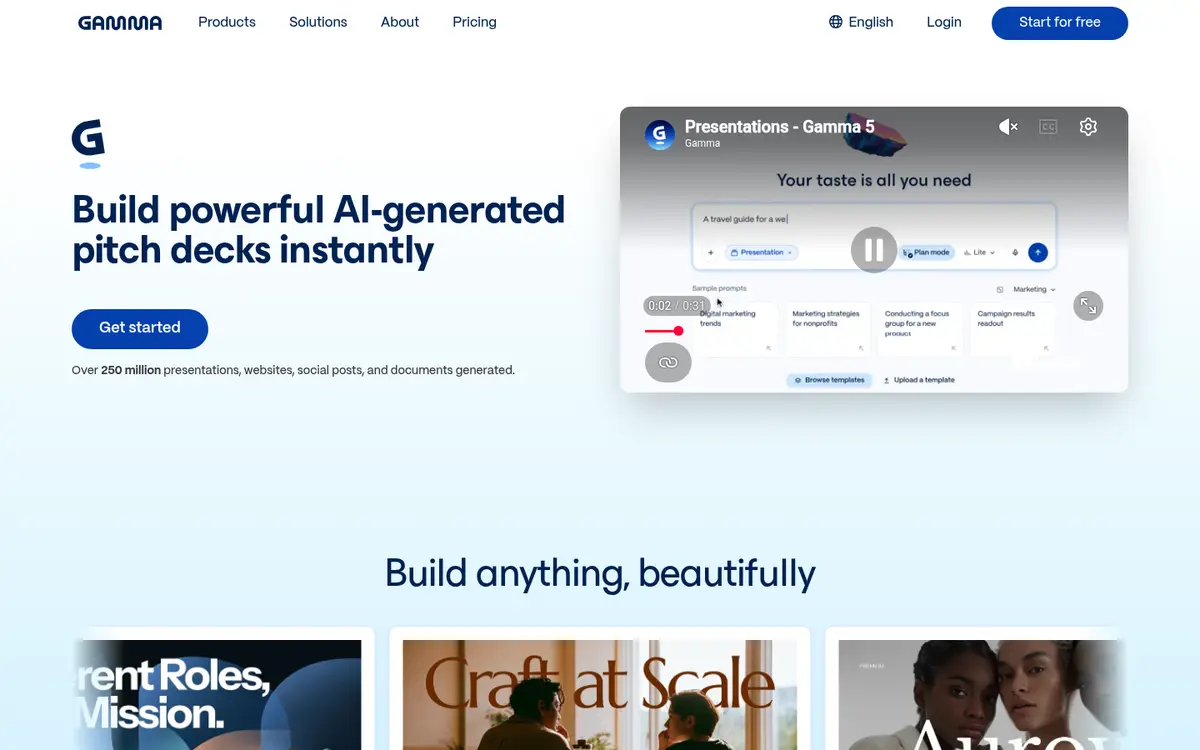
Gamma is a general AI design tool for presentations, documents, webpages and social posts. You prompt it, and it builds the piece on its own web canvas, where you can also edit freely by hand. Gamma 5, live since 6 Oct 2026, adds an agent that works through the story before it designs. Finished work exports to PowerPoint, PDF, Google Slides or PNG. It serves individuals and businesses, and developers can build on its public API. Gamma also has apps inside Claude, ChatGPT and Slack.
Gamma at a glance
Gamma has four plans: Free, Plus, Pro and Ultra. We could not see Gamma's paid prices. The Free plan allows up to 10 slides per prompt, imports PDF and PowerPoint files and exports to PDF, PowerPoint, PNG and Google Slides. Gamma's careers page claims more than 1 million gammas are created each day.
Quick picks
Gamma is the first row, for reference. Most tools here make slides, so the useful columns are "Works in" and "Free": some run on their own canvas, others inside PowerPoint or Google Slides. The Excel columns matter only if your deck is built on numbers; Finamodel is in this list for that reason, not for slides.
| Tool | Best for | Type of tool | Price (entry plan) | Works in | Free option | Builds the model for you | Excel file you keep | AI edits your file | Templates library |
|---|---|---|---|---|---|---|---|---|---|
| Fast, designed decks from prompts | AI design tool | Prices not captured | Web; PowerPoint, PDF export | Yes: 10 slides per prompt | No: Builds decks, not models | No: No Excel files | No: Slides, not spreadsheets | Not stated: Not stated |
 | Slides and models in Office | General AI assistant | Not captured | PowerPoint, Excel, web | Yes: PowerPoint add-in on Free | Yes: Creates live models | Yes: Live models in workbook | Yes: Creates and updates | Not stated: Not stated |
 | Google Workspace teams | AI in Workspace | Bundled; not captured | Slides, Sheets, Docs | Yes: Free for Education | No: Not a model builder | Yes: Your own Sheets file | Yes: Fixes Sheets formulas | Not stated: Not stated |
 | Consulting decks with sources | AI deck generator | Free; from $29/mo | Web, PowerPoint add-in | Yes: 10 slides a month | No: Builds slides, not models | No: Slides only | No: No models | Not stated: Your firm's template |
 | Complex slides in PowerPoint | PowerPoint add-in | From $19/mo | PowerPoint, Claude, ChatGPT | Yes: 7-day trial | No: Builds slides, not models | No: Slides only | No: No models | Not stated: Custom corporate styles |
 | The numbers behind your pitch | Ready models + AI | $20/mo or $120/yr | Web app, Excel file | Yes: 30 models + free samples | Yes: Fina chat builds it | Yes: .xlsx, formulas visible | Yes: Fina chat edits it | Yes: 500+ models |
 | Microsoft 365 firms | Built into Office | Not checked | PowerPoint, Excel, Word | Not stated: Not stated | Yes: LBO, merger, comps skills | Yes: Your own workbook | Yes: Finance skills | Not stated: Not stated |
yes · no · not stated in the vendor's sources. Hover a mark for details. From each vendor's own site; prices change, so check before you buy.
1.ChatGPT
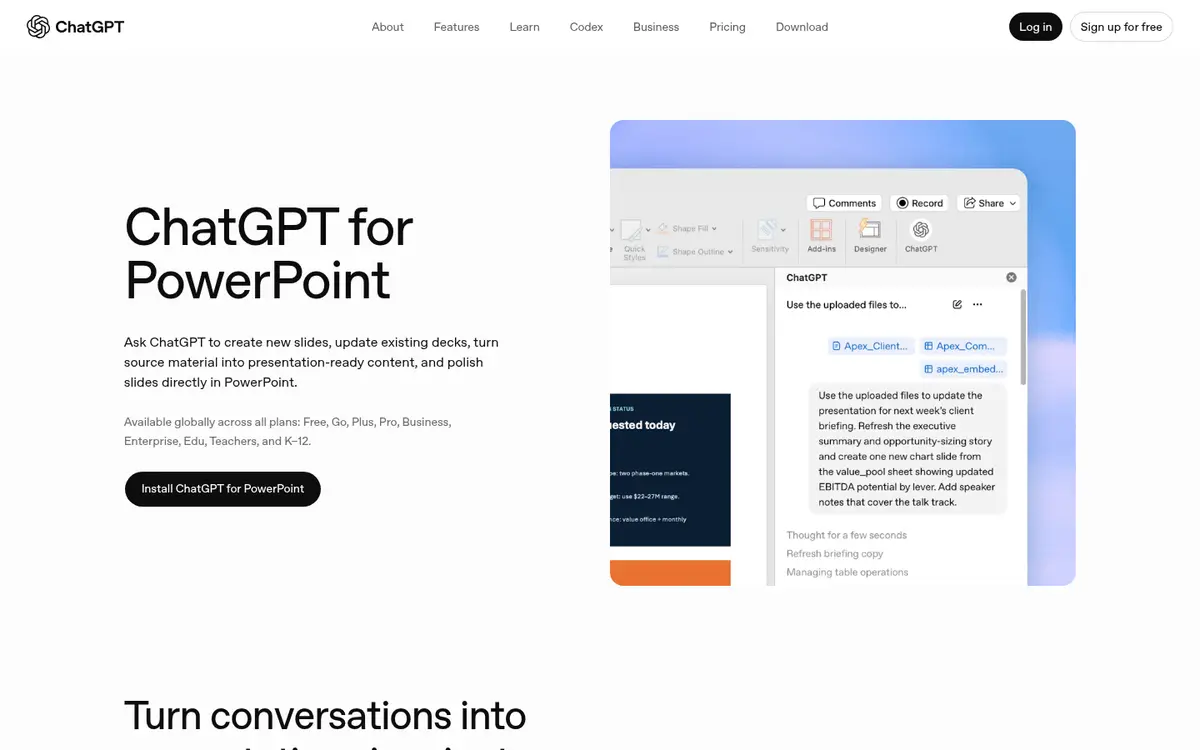
ChatGPT is OpenAI's general AI assistant. Its PowerPoint add-in creates, edits and polishes decks inside PowerPoint, and an Excel add-in does the same for workbooks.
In PowerPoint, ChatGPT works in a sidebar. You ask it to create new slides, update an existing deck, turn source material into slides or polish what is there, and the slides keep their editable structure. OpenAI's example prompt turns notes and KPIs into a 10-slide board update with an executive summary, a risks slide and next steps. Since about 18 Nov 2026, Gamma itself also runs as a plugin inside ChatGPT, building decks in a side panel.
ChatGPT for Excel creates or updates live models in the workbook and explains why outputs changed, which helps when the deck is built on numbers. Plans cover Free, Go, Plus, Pro, Business, Enterprise and plans for schools, and the PowerPoint add-in is on all of them. ChatGPT Business adds shared workspaces for teams.
The main reason to choose ChatGPT over Gamma is location: the work happens in PowerPoint, on your own template, rather than on a separate canvas you export from. OpenAI's help article does admit limits on template adherence and on some advanced chart and shape edits. Gamma is the more design-led tool, with a freeform canvas and webpages and social posts as outputs. If your deck depends on figures, ChatGPT can also work on the workbook behind it, which Gamma cannot. We did not capture dollar prices for either, so compare plans on their own pages.
- Price
- Plans from Free to Enterprise. We did not capture dollar prices.
- Free option
- A Free plan exists; the PowerPoint add-in is available on it.
Pros
- Works inside PowerPoint on your template
- PowerPoint add-in on the Free plan
- Also builds live models in Excel
Cons
- Admitted limits on template adherence
- Dollar prices not captured here
Pick it if you want AI slides inside PowerPoint, not on a separate canvas.
2.Gemini
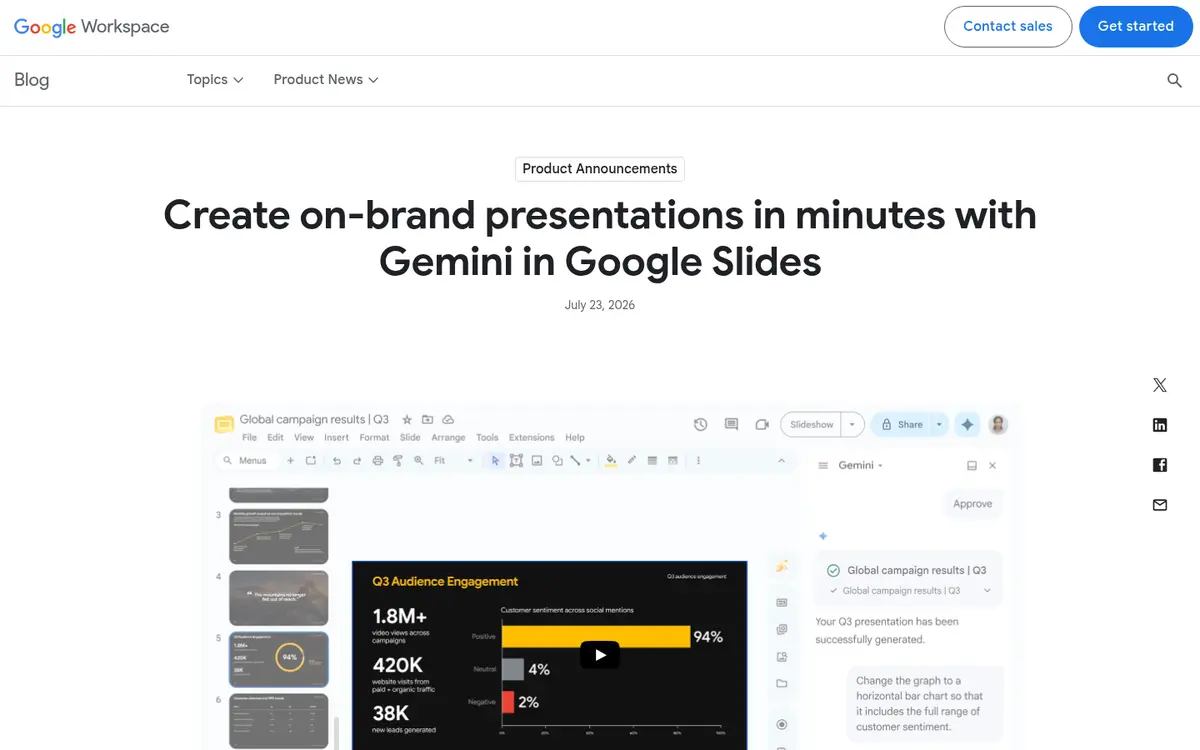
Gemini is Google's AI assistant, available as the Gemini app and inside Google Workspace apps such as Slides, Sheets and Docs. In Slides it builds on-brand decks from a prompt and reference files.
You give Gemini in Slides a prompt plus reference material such as Docs, Sheets, PDFs or earlier decks, and it proposes an outline first, then builds slides Google describes as completely editable. In Sheets, it runs analysis and charts from a side panel, fills cells with Fill with Gemini, and explains and fixes formula errors in plain language. A November 2026 demo showed Gemini turning financial data in Sheets into models that adjust to forecasting scenarios. The Gemini app adds Canvas, Deep Research and Guided Learning, and Gemini Notebook makes decks and video overviews from your sources.
Slides generation is on Google Workspace Business and Enterprise Standard and Plus plans, or through a Google AI Pro or AI Ultra subscription. Schools can get Gemini for Education at no cost through Google for Education Fundamentals. Google has also announced Workspace AI features for regulated financial institutions.
For a team already on Google Workspace, Gemini is the obvious comparison: the deck stays in Slides, beside the Sheets and Docs it draws from, and there may be nothing new to buy. Gamma is a dedicated design tool with more layout freedom and outputs such as webpages and social posts. Gemini's features are spread across several products rather than one presentation app, and we have no dollar prices on file. If your company works in Microsoft 365 instead, look at Copilot.
- Price
- Bundled in Google Workspace Business and Enterprise plans or Google AI Pro and Ultra. We have no dollar prices on file.
- Free option
- Gemini for Education is offered at no cost to schools.
Pros
- Works inside Google Slides and Sheets
- Builds from your own Docs, Sheets and PDFs
- Free for schools through Education
Cons
- Spread across several products
- Dollar prices not on file
Pick it if your team already works in Google Workspace.
3.Perceptis
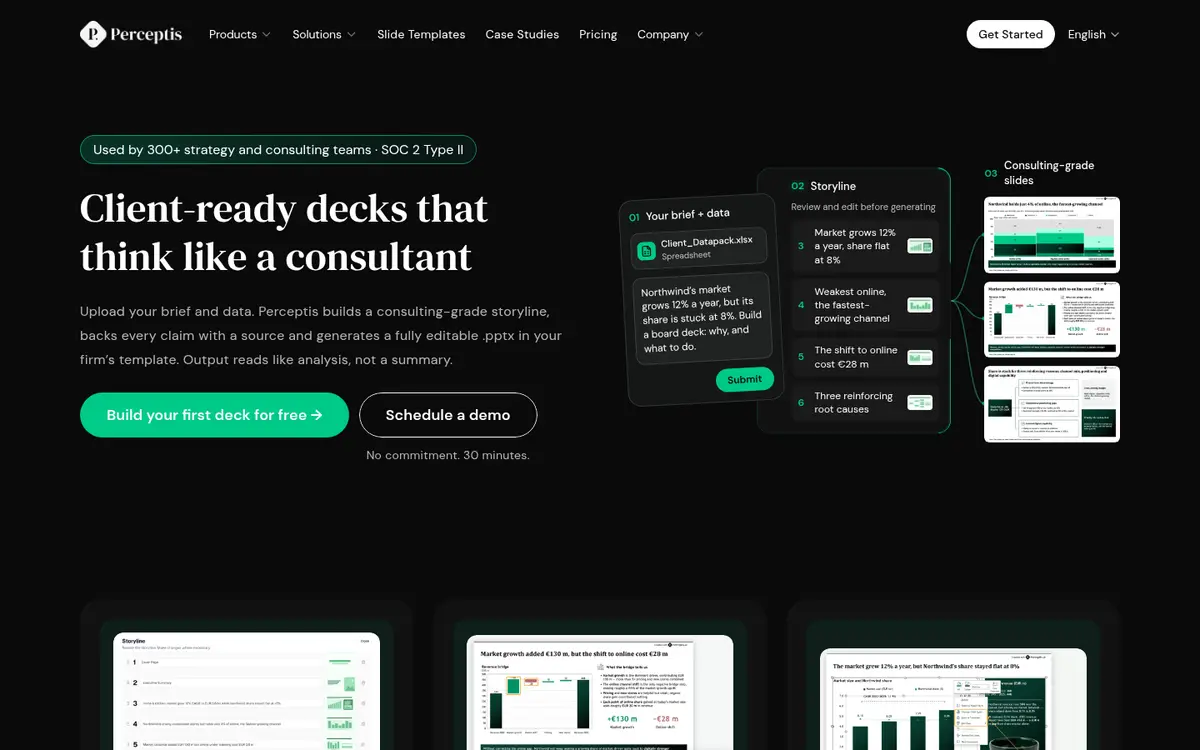
Perceptis is an AI deck generator for strategy, consulting and advisory firms and private equity teams. It builds a consulting-style storyline from your brief and data, then a fully editable .pptx in your firm's template.
There are two ways in: the Slidekick web app and a PowerPoint add-in. Storylines follow consulting logic, situation, complication and resolution, with insight headlines, and you can review and edit them before slides are generated. The storyline step is where you shape the argument before any slide exists. Output includes editable charts and tables, plus maps, Gantt charts, roadmaps and funnels. Factual statements get citations automatically. You can connect a knowledge base of past decks and research, and upload an existing deck to edit it with AI.
Perceptis says more than 300 strategy and consulting teams use it. Business and Enterprise plans include a REST API, and Enterprise adds a human quality-check service for documents. Its private equity page applies the same approach to investment work.
Perceptis is what Gamma would be if it were built only for consultants. You lose Gamma's design freedom, webpages and social posts; you gain storylines built like analysis, sources on claims and output in your company's PowerPoint master. Prices are published: free for 10 slides a month, Starter $29 a month, Pro $129 a month, and Business $390 a month for up to 20 seats. Enterprise pricing is custom, for larger firms. The PowerPoint add-in is still labelled beta, and its benchmark claims are its own statements about third-party tests.
- Price
- Starter $29 a month, Pro $129 a month. Business $390 a month for up to 20 seats.
- Free option
- A free plan with up to 10 slides a month.
Pros
- Consulting storylines with insight headlines
- Editable .pptx in your firm's template
- Free plan and published prices
Cons
- PowerPoint add-in still in beta
- Slides only
Pick it if you make client decks and need structure and sources more than design.
4.Oria
Oria is a PowerPoint add-in, with apps for Claude and ChatGPT, that generates complex consulting-style slides in a company's own look. It is made for consultants, bankers and strategy teams who build boardroom decks in PowerPoint.
Slides come out as native, editable PowerPoint shapes, never images. You can feed it audio notes, pasted output from another AI tool, existing slides or a photo of a sketch, and ask for alternative designs with one click. Custom corporate styles keep the output in your company's look. It runs on Mac and Windows from the Microsoft Store, and the Claude and ChatGPT apps work on desktop and mobile on every plan.
Its resources library offers free Claude skill packs for consulting, banking and finance. It can also redesign slides you upload, which helps when an old deck needs to match a new template. For a bank or consultancy with a strict template, that saves rework.
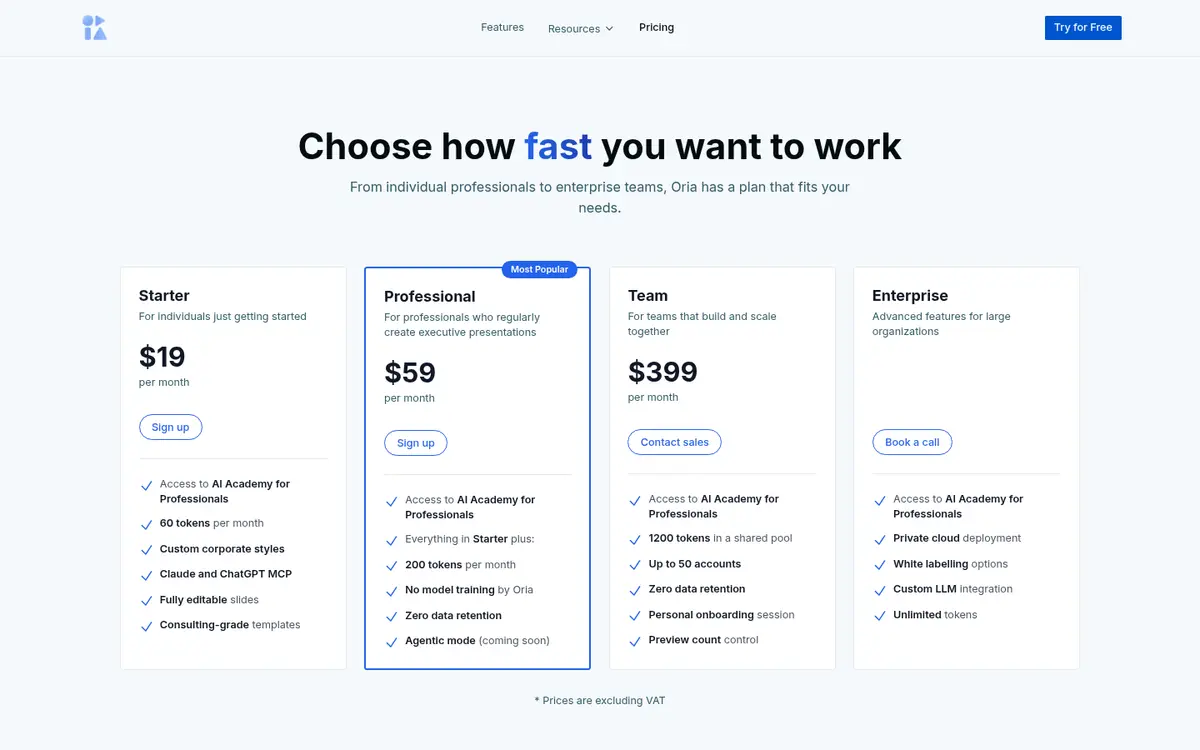
Oria suits Gamma users who like prompting but need the result inside PowerPoint and dense enough for a board. Gamma is the better choice for webpages, social posts and quick designed decks. Oria publishes its prices: Starter $19 a month, Professional $59 a month and Team $399 a month for a shared pool of up to 50 accounts, all excluding VAT, with a 7-day trial and Enterprise by call. The agentic mode on its pricing page is announced but not shipped, and we found no changelog or dated feature news. Slides only, so the numbers behind them still come from elsewhere.
- Price
- Starter $19, Professional $59, Team $399 a month, excluding VAT. Enterprise by call.
- Free option
- A 7-day trial, plus free Claude skill packs.
Pros
- Native editable PowerPoint shapes
- Works in PowerPoint, Claude and ChatGPT
- Published prices from $19 a month
Cons
- Agentic mode not shipped yet
- Slides only
Pick it if you want complex, on-brand slides built inside PowerPoint.
5.Finamodel

Finamodel is a library of ready Excel financial models with an AI assistant called Fina. It does not make slides. It is on this list for Gamma users whose pitch or board deck depends on numbers they cannot build alone.
Many Gamma decks are pitch decks, and investors look past the slides to the model. With Finamodel you pick a ready model, such as a startup financial model, a SaaS forecast or a 3-statement model, and ask Fina to fit it to your business: your pricing, your hiring plan, your costs. A typical request is "start with 200 customers, grow 8% a month and hire two engineers in month four". Fina builds, edits, explains and fixes the model, and version history lets you restore any earlier file.
You download a real .xlsx file with every formula visible. It works without Finamodel and opens in Excel, Google Sheets and Numbers, so you can share it with an investor as a normal spreadsheet and copy the key figures into your Gamma deck yourself. Read-only links to QuickBooks, Google Sheets, Google Drive and 42 other apps can bring in your actuals, and a voice walkthrough can explain the model before a meeting.
Be clear about what it is not. Finamodel does not design slides, build webpages or export to PowerPoint, and it has no canvas or themes. If you only need a deck, it is the wrong tool; use Gamma or one of the slide tools above. It suits founders, small business owners and analysts whose story is ready but whose numbers are not, and who need to answer an investor's questions about them. The library is free to browse before you sign up. You can try one of 30 free models with live formulas, or a free sample of any other model without formulas, sent by email link, and support is by email.
How it works
- Pick a ready model, such as a DCF or a 3-statement model, from a library of more than 500.
- Ask Fina chat to change, explain or fix it for your case and your numbers.
- Download a real .xlsx file. Every formula is visible, and it works without Finamodel. It opens in Excel, Google Sheets and Numbers.
- Price
- Models plan: $20 a month or $120 a year. All Templates: $30 a month or $144 a year. You can cancel at any time.
- Free option
- 30 free models with live formulas, and a free sample of every other model, with values but no formulas. Both are sent by email link, one model email per email address per day. The library is free to browse.
Better than Gamma at
- Builds the financial model behind a deck
- A real .xlsx file you keep
- Fina explains each formula
Worse than Gamma at
- Does not make slides or designs
- No webpages, documents or social posts
- You copy figures into your deck yourself
Models that fit: Startup Financial Model, SaaS MRR/ARR Forecast Model, 3 Statement Model.
Pick it if your deck is ready but the financial model behind it is not.
6.Microsoft Copilot
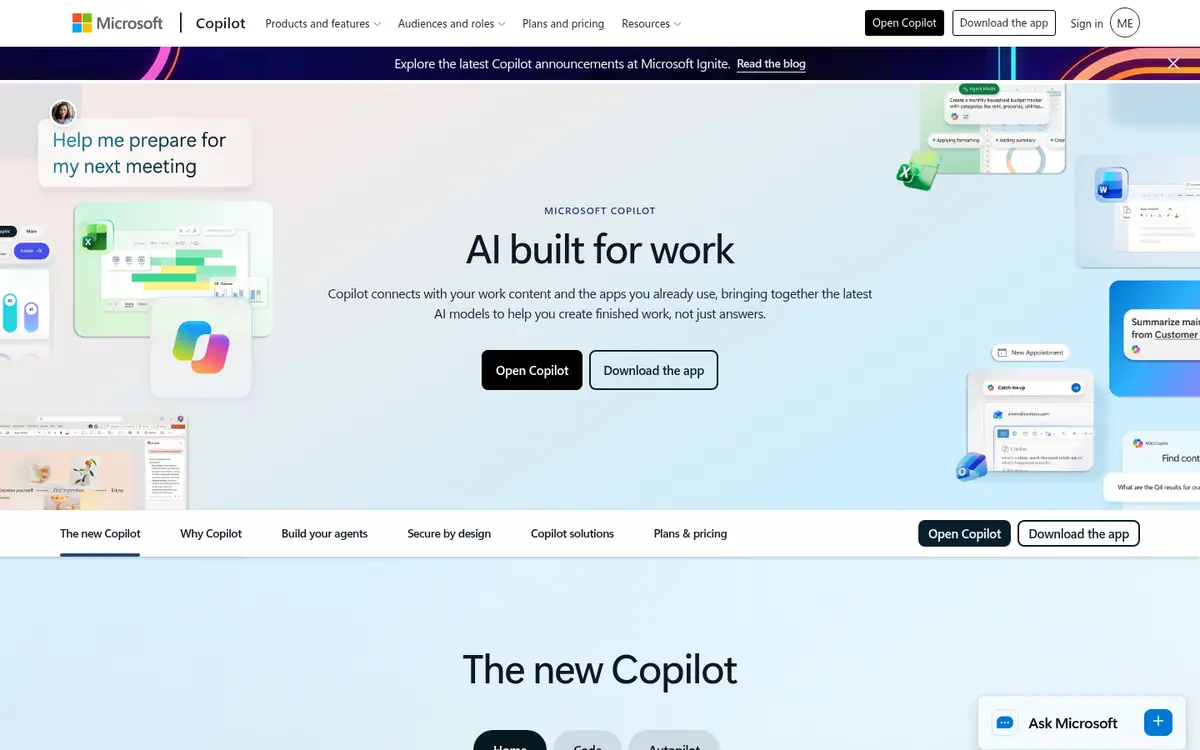
Copilot is Microsoft's AI assistant, built into Microsoft 365 apps. Copilot in PowerPoint drafts decks from a prompt, and Copilot in Excel adds built-in finance skills.
In PowerPoint, Copilot turns a prompt into a deck using your existing themes, rewrites slides and writes speaker notes. Speaker notes help when someone else has to present your slides. In Excel, you call named skills with @, such as three-statement completion, LBO, merger, comps, returns and a model check that looks for circular references, broken formulas and balance sheet imbalances. It can also explain a workbook's change history and reverse chosen edits, and firms can record their own skills.
Office in Copilot and a new Home view with Chat and Cowork became generally available on 17 Nov 2026. Organizations buy Microsoft 365 Copilot, and individuals can get it on consumer plans. Each Excel skill has a written description on Microsoft Support. Partner plugins include QuickBooks, Xero and Zoho Books, and accounting skills are in the Frontier early-access program.
Copilot is the Microsoft 365 answer to Gamma: decks made in PowerPoint with your company's themes, and the numbers built in Excel next door. For finance teams that is a real plus, because the pitch and the model live in the same suite. Gamma is the more design-focused tool and works for anyone, with or without Microsoft 365. Microsoft states that Copilot gives no accounting, tax, audit or financial advice. We did not check Copilot prices for this page, so confirm them with Microsoft before you plan around it.
- Price
- Part of Microsoft 365 Copilot and consumer plans. We did not check the price.
- Free option
- None listed.
Pros
- Inside PowerPoint and Excel already
- Uses your existing themes
- Finance skills for the model behind the deck
Cons
- Price not checked here
- Needs Microsoft 365
Pick it if your company runs on Microsoft 365.
Who should pick what
Gamma is a fast, general design tool. The alternatives depend on where your slides must live and what they must contain. Start with the app your company already uses for decks, then decide whether you need design freedom, consulting structure, or help with the numbers.
- AI slides inside the suite you already use: ChatGPT for PowerPoint, Gemini in Google Slides or Copilot in PowerPoint.
- Consulting-style decks with sources: Perceptis. Complex on-brand slides in PowerPoint: Oria.
- Fast designed decks, webpages and social posts: Gamma itself.
- The Excel financial model behind a pitch deck: Finamodel.
Try Gamma's free plan and one alternative on the same brief, and compare how much editing each deck needs before you would send it. If the deck carries financial projections, build the model first and the slides second; numbers that change after the design is done cost the most time.
Frequently asked
How much does Gamma cost?+
Gamma has Free, Plus, Pro and Ultra plans. We could not see its paid prices. Check Gamma's site for current prices.
Is there a free version of Gamma?+
Yes. The Free plan allows up to 10 slides per prompt, imports PDF and PowerPoint files and exports to PDF, PowerPoint, PNG and Google Slides.
What are the main Gamma alternatives?+
For AI slides in the suite you already use: ChatGPT for PowerPoint, Gemini in Google Slides and Microsoft Copilot. For consulting decks: Perceptis and Oria. For the Excel model behind a pitch deck: Finamodel.
Can Gamma export to PowerPoint?+
Yes. Gamma imports and exports PowerPoint and PDF files, and also exports to Google Slides and PNG, including on the Free plan.
Gamma vs Finamodel: which should I pick?+
They do different jobs. Gamma makes presentations, documents and webpages. Finamodel makes Excel financial models; it does not make slides. If your deck needs a financial model, Finamodel's Models plan is $20 a month or $120 a year.
Can Gamma build financial models?+
No. Gamma is not built around finance or modeling. For the numbers behind a deck, use a spreadsheet tool such as ChatGPT for Excel or Copilot in Excel, or a ready model from Finamodel.
Sources for Gamma (5), last checked 18 Nov 2026+
- gamma.app · Plan names and Free plan limits · 7 Nov 2026
- careers.gamma.app · Mission and B2C/B2B quote · 10 Nov 2026
- developers.gamma.app · API and developer platform · 10 Nov 2026
- developers.gamma.app · Developer changelog (Gamma 5) · 8 Nov 2026
- linkedin.com · ChatGPT plugin announcement · 18 Nov 2026
Each alternative's own page lists its sources.


