 By Alex Tapio
 Superjoin alternatives
People look for Superjoin alternatives for a few reasons. There is no public price, and every path on the site leads to a demo. Because Superjoin's team configures each firm's agents, getting started is a services project, not a download. The site has no changelog or blog, and its solutions pages illustrate claims with mockups, so the product is hard to judge before a call. Some buyers also want a self-serve tool they can test on one engagement first.
What is Superjoin?
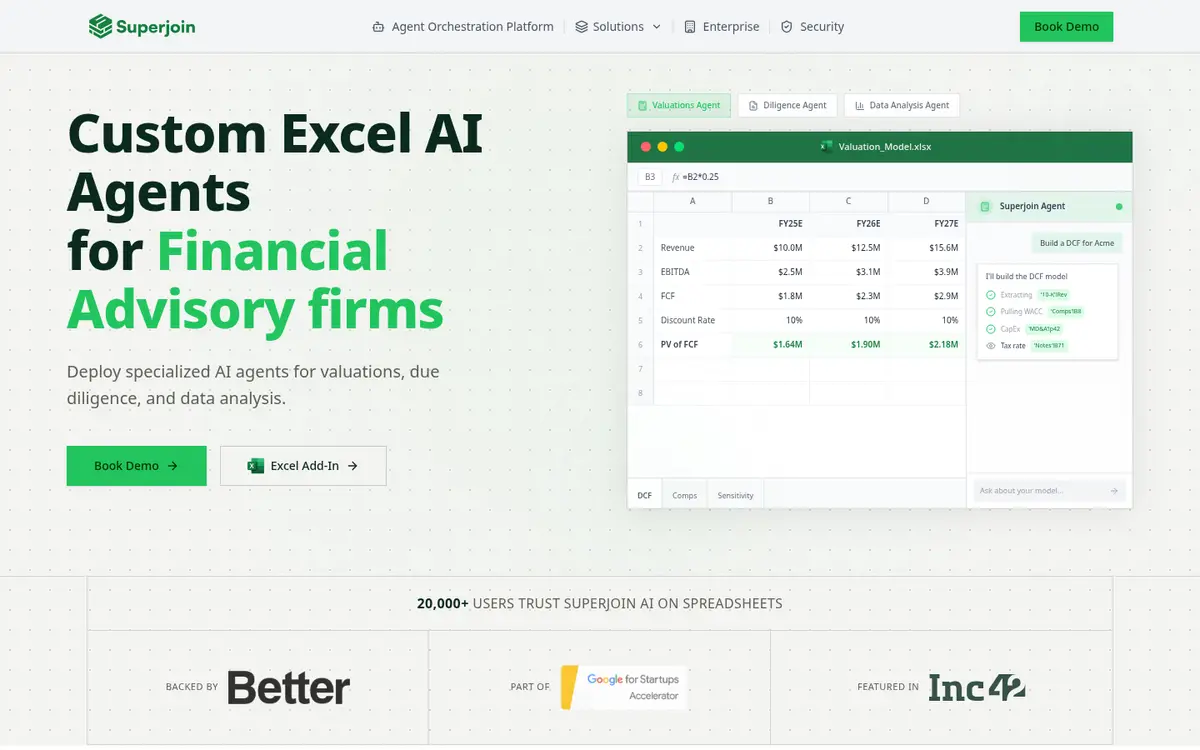
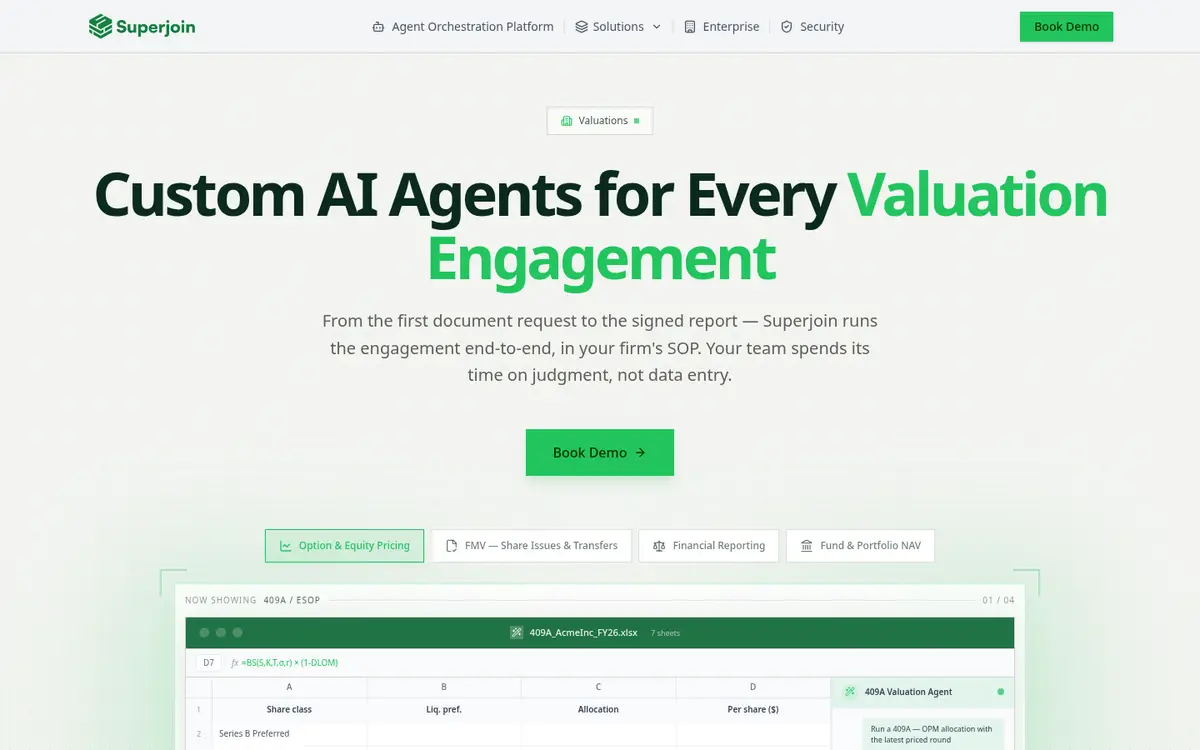
Superjoin builds custom AI agents that work inside Excel for financial advisory firms. Its agents cover valuation work, from 409A and ASC 718 to ASC 805 and IPEV; financial due diligence, including data ingestion, quality of earnings and red-flag reports; audit tasks such as vouching, lead schedules and trial balance tie-outs; and deal work such as comps from 10-Ks and proxies, CIM-to-LBO models and merger accretion and dilution. Superjoin's own team configures the agents to each firm's procedures and templates. Its users are valuation, FDD and audit practices, investment banks and PE funds.
Superjoin at a glance
Superjoin publishes no price. Every route on its site ends at Book Demo; we checked on 10 Nov 2026. What you get is an Excel add-in with agents set up for your firm, precedent and dependent tracing, in-cell citations and work in your own templates. Connectors reach Bloomberg, FactSet, PitchBook and Capital IQ. A formula scan looks for circular references, hardcoded values and broken links before the file reaches a client.
Quick picks
Superjoin is the first row. Every tool below puts AI to work on Excel files, so most AI cells say yes. The split that matters for advisory firms is between agents configured for your practice and general add-ins you install yourself. The price and free columns show it: the configured tools sell through demos, the general ones publish prices.
| Tool | Best for | Type of tool | Price (entry plan) | Works in | Free option | Builds the model for you | Excel file you keep | AI edits your file | Templates library |
|---|---|---|---|---|---|---|---|---|---|
| Advisory valuation, FDD and audit work | Custom Excel agents | Demo only | Excel add-in | No: None listed | Yes: DCF, comps, LBO | Yes: Agents in your workbook | Yes: Builds in firm templates | Not stated: Uses your firm's templates |
 | Advisory and audit firms | Firm-specific AI agents | Access by request | Excel, PowerPoint, web | No: None listed | Yes: From source documents | Yes: Agents in Excel | Yes: Builds and reviews models | Not stated: Not stated |
 | Consultancies doing diligence work | AI add-in + platform | Pro $40/mo, Max $200/mo | Excel, PowerPoint, Word, web | Yes: Starter free trial | Yes: Builds and formats | Yes: Works in your workbook | Yes: Builds and audits | Not stated: Not stated |
 | Ready valuation and QoE models | Ready models + AI | $20/mo or $120/yr | Web app, Excel file | Yes: 30 models + free samples | Yes: Fina chat builds it | Yes: .xlsx, formulas visible | Yes: Fina chat edits it | Yes: 500+ models |
 | Delegating work by email | AI office agents | Demo only | Excel, Word, PowerPoint, email | No: None listed | Yes: Builds and updates models | Yes: Works in your files | Yes: Builds and updates models | Not stated: Not stated |
 | Analysts who build in Excel | AI agent | Free, or $100/mo | Excel, web, desktop | Yes: 20 credits a week | Yes: Builds full models | Yes: Your own workbook | Yes: Builds and edits | Not stated: Not stated |
 | Solo analysts, free start | AI add-in | Free; Pro price not shown | Excel web and desktop | Yes: 5,000 credits a month | Yes: 3-statement, DCF, LBO | Yes: Excel add-in | Yes: Builds and repairs | Not stated: Not stated |
yes · no · not stated in the vendor's sources. Hover a mark for details. From each vendor's own site; prices change, so check before you buy.
1.Crunched
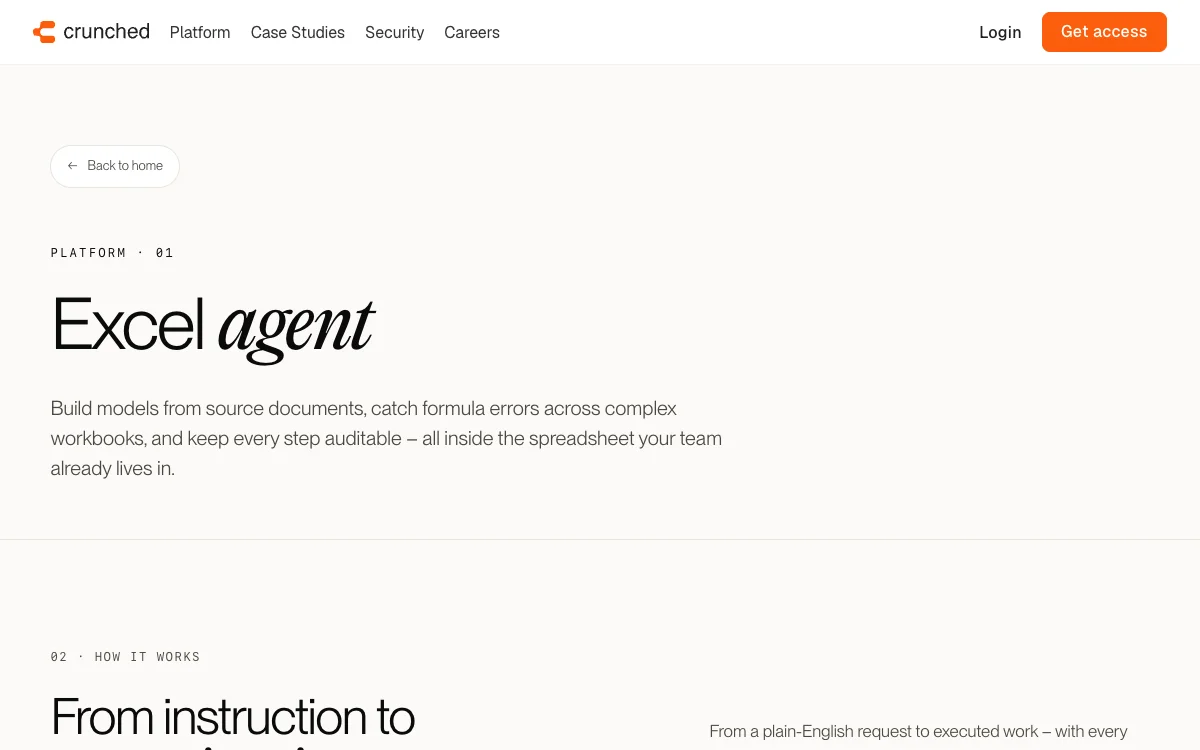
Crunched builds firm-specific AI agents for Excel and PowerPoint, aimed at advisory and audit firms, with consulting, private equity and real estate teams also served. Its agents build models from source documents, review workbooks for errors and keep decks live-linked to the model.
The Excel agent builds models from source documents and reviews workbooks for formula breaks, broken references, sign flips and hard-coded overrides. Its review system also flags stale tickers, broken cross-references and figures that do not match between the deck and the model. The PowerPoint agent stays linked to the Excel model and its sources. Every change, by an agent or a person, is logged, reviewable and reversible. Projects keep context across the platform, Excel, PowerPoint and SharePoint, and a Command Center runs firm-tailored agents in parallel, with each task routed across frontier and open-weight models.
That audit trail is the main draw for audit and advisory firms, which often have to show how a number was produced. Crunched tailors its agents to each firm's methodology, much as Superjoin configures agents to a firm's procedures.
Crunched is the closest match to Superjoin: both target advisory and audit firms, and both shape their agents around the firm. Superjoin names more engagement types, with agents for 409A, ASC 805 and quality of earnings work; Crunched adds a PowerPoint agent and a log of every change. Neither publishes a price, and Crunched gives access by request. Its public site is thin, with no blog, changelog or press page, so ask for a case study from a firm like yours before you commit.
- Price
- No public price. Access by request.
- Free option
- None listed.
Pros
- Every change logged and reversible
- Deck and model stay linked
- Agents tailored to the firm's methodology
Cons
- No public price
- Little public detail on its site
Pick it if your firm needs an audit trail on every AI edit.
2.Tracelight

Tracelight is an AI platform for consultancies and finance firms doing due diligence, M&A, valuations, private equity and corporate development work. It centres on an Excel add-in with Chat, Audit and Trace tabs, plus add-ins for PowerPoint and Word.
You ask in plain English, and the add-in builds and formats models, explains formulas and reviews workbooks for formula issues. Edits are checked in Tracelight's own spreadsheet engine before they reach your file. It follows a firm formatting playbook and reusable skills and workflows, and a value pulled from a PDF carries a comment linking to its source. The PowerPoint and Word add-ins build decks and documents from the workbook in the firm template and keep them live. The web platform adds a project space per deal, version control, a spreadsheet compare and connectors to Capital IQ, FactSet, PitchBook and SharePoint.
Use-case pages cover operating models, DCFs, LBOs, merger models, quality of earnings and databooks. That list overlaps with an FDD or valuation practice's daily work more than most general add-ins do.
Tracelight differs from Superjoin in how you start. It is a product you can buy and set up yourself, with a firm playbook you write, rather than agents configured for you. It has no named agents for 409A or audit vouching. In return its prices are public: a Starter free trial with 3 Model Review runs, Pro at $40 a month and Max at $200 a month, with Enterprise through sales. Those prices come from our read of 10 Nov 2026, so confirm them before you budget.
- Price
- Pro $40 a month; Max $200 a month. Enterprise through sales.
- Free option
- A Starter free trial, including 3 Model Review runs.
Pros
- Quality of earnings and databook use cases
- Edits verified before they reach the workbook
- Public prices and a free trial
Cons
- No named 409A or audit agents
- Prices from a 10 Nov 2026 read
Pick it if your practice wants to test AI on diligence work without a services project.
3.Finamodel

Finamodel is a library of ready Excel financial models with an AI assistant called Fina. It has no agents configured for your firm. It gives you a finished model, and Fina adapts it to the engagement.
In practice you open a model from the library, such as a quality of earnings model, a DCF or a stock-based compensation model, in Fina chat. You describe the engagement: the adjustments to EBITDA, the discount rate, the option terms. Fina edits the model, explains how a figure is calculated and fixes broken formulas, and version history lets you restore any earlier file. You download a normal .xlsx file with every formula visible. It works without Finamodel and opens in Excel, Google Sheets and Numbers, so a client or reviewer can check it without an account.
It fits small advisory practices, solo valuation professionals and analysts who need a sound starting model for one job, not a firmwide deployment. 30 full models with live formulas and a sample of every other model without formulas are free, sent by email link. Fina can also give a voice walkthrough of a model, which helps when a junior has to understand a file quickly. Read-only links to QuickBooks, Google Sheets, Google Drive and 42 other apps help when a client's books sit in those tools.
Finamodel is not a substitute for Superjoin's engagement agents. It does not run a 409A from the document request to the signed report, it does not vouch, tie out a trial balance or write red-flag reports, and nobody configures it to your procedures. Support is by email. You still do the professional work; Finamodel saves the build. If your firm wants agents that run engagements in its own templates, Superjoin, Crunched or Tracelight fit better. The Models plan costs $20 a month or $120 a year, and you can cancel at any time.
How it works
- Pick a ready model, such as a DCF or a 3-statement model, from a library of more than 500.
- Ask Fina chat to change, explain or fix it for your case and your numbers.
- Download a real .xlsx file. Every formula is visible, and it works without Finamodel. It opens in Excel, Google Sheets and Numbers.
- Price
- Models plan: $20 a month or $120 a year. All Templates: $30 a month or $144 a year. You can cancel at any time.
- Free option
- 30 free models with live formulas, and a free sample of every other model, with values but no formulas. Both are sent by email link, one model email per email address per day. The library is free to browse.
Better than Superjoin at
- Listed price and self-serve sign-up
- A free full model to try
- Ready models for QoE, DCF and stock compensation
Worse than Superjoin at
- No agents configured to your procedures
- No audit or engagement workflow; you do the work
- Support is by email
Models that fit: Quality Of Earnings Model, DCF Model, Stock-Based Compensation.
Pick it if you run a small practice and need a sound starting model for one engagement.
4.Endex
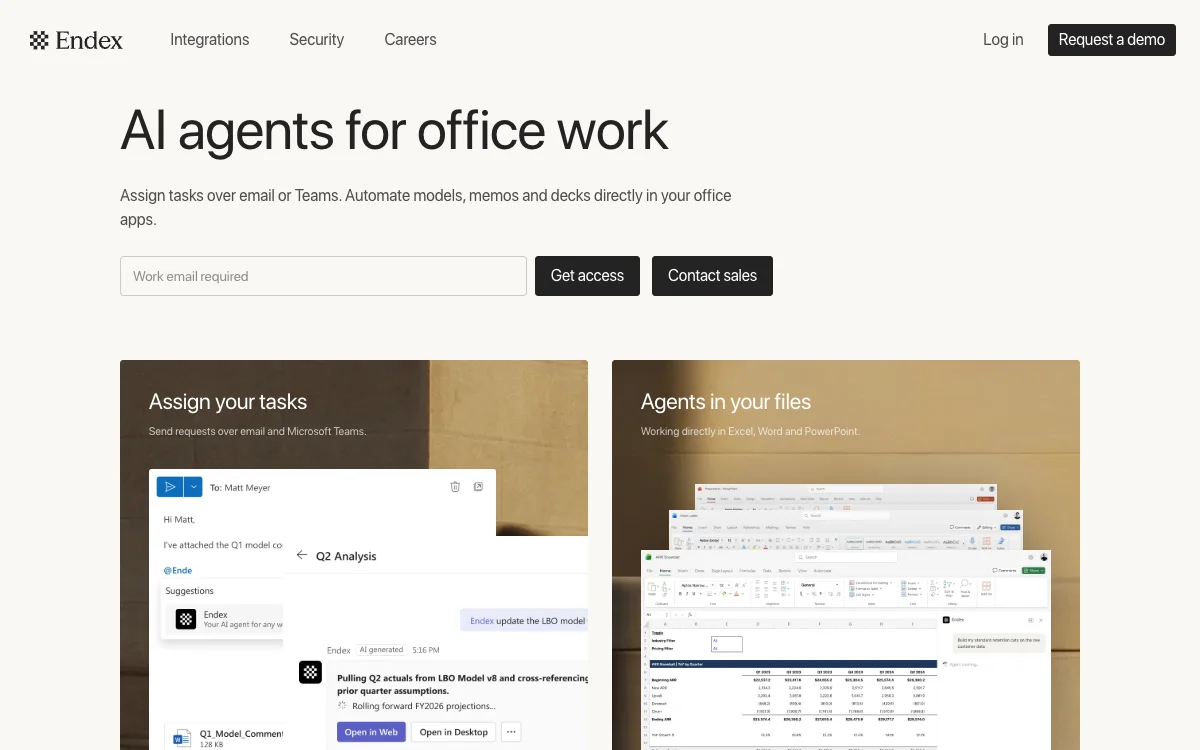
Endex provides AI agents for office work that run in Excel, Word and PowerPoint and take tasks by email, Teams, Slack, mobile or API. It sells to enterprise teams in private equity, investment banking, public equity, real estate, corporate finance, accounting, consulting and large companies.
A typical task starts with a tag: you mention Endex in an email or a Teams thread and ask for research, a draft or an update. In Excel it builds and updates models, such as a consolidated income statement or an LBO update. It ties schedules back to source and leaves an auditable trail through the workbook. In PowerPoint it builds and restyles slides to match the host deck, and in Word it drafts documents with every claim traced to its source. Custom automations keep a memory between tasks.
Accounting and consulting teams are on its list of users, which puts it near Superjoin's advisory market. Connectors include FactSet, Capital IQ, Morningstar, Intralinks and DealCloud, plus real estate systems such as Yardi, CoStar, Argus and MRI. Security includes SOC 2 Type II, ISO 27001 and customer-held encryption keys, and data is not used for training by default.
Compared with Superjoin, Endex is broader and less specialised. It covers Excel, Word and PowerPoint and takes work by email, but it names no agents for 409A, quality of earnings or audit vouching. Superjoin stays inside Excel and goes deep on advisory engagements. Both sell through demos with no public price. Endex's site has no blog or changelog, so most detail will come from the demo.
- Price
- No public price. Demo first.
- Free option
- None listed.
Pros
- Delegate by email, Teams or Slack
- Works across Excel, Word and PowerPoint
- Customer-held encryption keys
Cons
- No public price
- No named valuation or audit agents
Pick it if your team wants to hand off model updates and drafts by email.
5.Shortcut
Shortcut, from Fundamental Research Labs, is an AI agent that builds and edits Excel financial models. It runs as an Excel add-in, a web app, a Windows desktop agent and a command-line tool.
You write a request, and Shortcut builds or changes the model in your workbook; its own case is a full LBO model with more than 400 linked formulas. It previews the code behind structural changes so you can approve them first, traces outputs to source files and reviews models with a built-in audit skill. Skills you build once can be reused through its Skill Factory, workflows can run on a schedule, and results can go out as live web dashboards. You can pick a third-party AI model or Shortcut's own model, Pivot.
Advisory firms, consulting firms and accounting firms are on its user list, next to hedge funds, PE firms, banks and FP&A teams. Enterprise buyers get on-premises hosting, their own encryption keys, single sign-on and customer-owned storage, which matters for firms that handle client data under engagement letters.
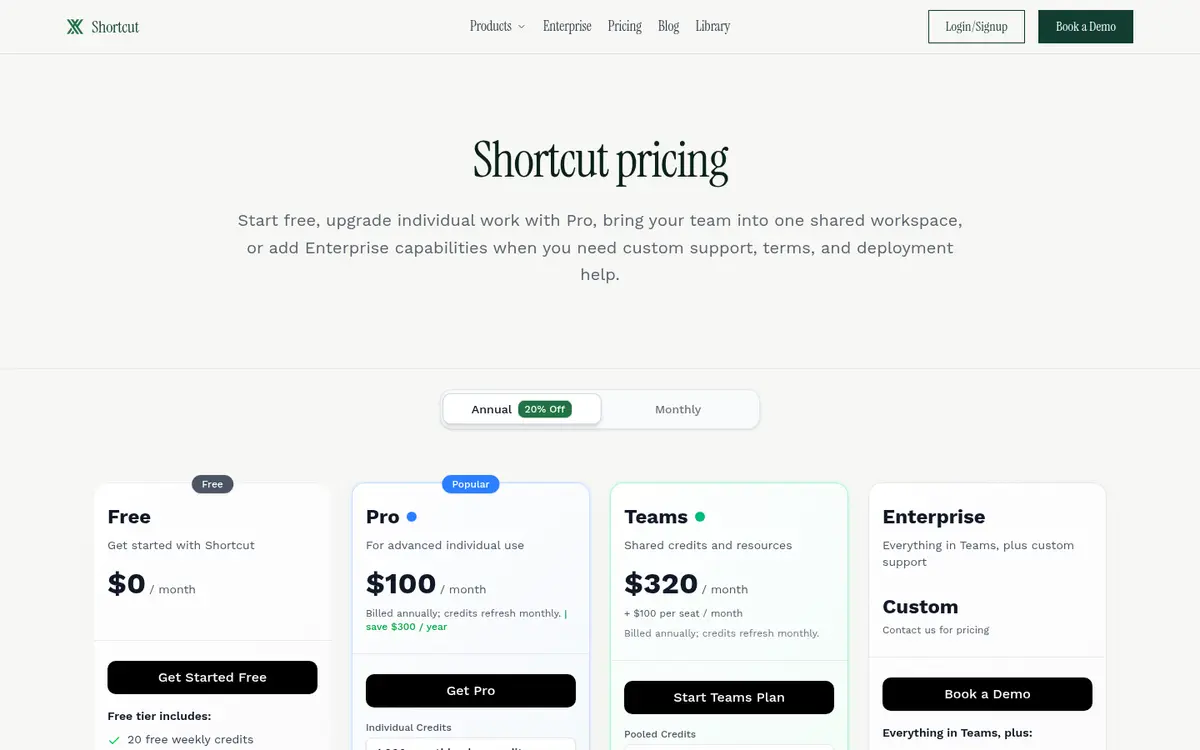
Shortcut is general where Superjoin is specialised. It has no agents built for 409A, ASC 805, quality of earnings or audit tie-outs, and nobody configures it to your procedures, though reusable skills let you encode your own steps. What it offers is a start today. The free plan gives 20 credits a week, Pro is $100 a month billed yearly with 1,000 credits a month, and Teams is $320 a month plus $100 a seat, billed yearly. Its accuracy figures come from a benchmark it ran itself in July 2026.
- Price
- Pro $100 a month billed yearly. Teams $320 a month plus $100 a seat.
- Free option
- A free plan with 20 credits a week.
Pros
- Free plan and published prices
- Reusable skills for your own steps
- On-premises and customer-owned storage options
Cons
- No valuation or audit agents built in
- Accuracy claims rest on its own benchmark
Pick it if you want a general AI agent in Excel and can encode your own steps.
6.Optivise
Optivise is an AI add-in for Excel that builds three-statement models, DCFs, LBOs and operating cases from a sentence. It is aimed at finance analysts in investment banking, private equity and corporate finance; individuals sign up themselves, and teams buy Enterprise.
You describe the model, and Optivise builds it in your workbook. It extracts figures from filings, scanned PDFs and board decks with citations, and pulls data from SEC EDGAR, FRED, Yahoo Finance, FMP and the World Bank. It also knows Bloomberg, Capital IQ and FactSet formula syntax, although you need your own terminal subscription to use them. Sub-agents clean data, reconcile workbooks, repair broken formulas and standardise tables, and every edit can be reviewed, accepted or rolled back. A Formula Trace feature arrived in July 2026.
It works in Excel on the web and on the desktop, installs from the Microsoft Marketplace, and lets you choose the AI model or connect your own ChatGPT subscription. That suits an analyst who wants to try AI on a real file the same day.
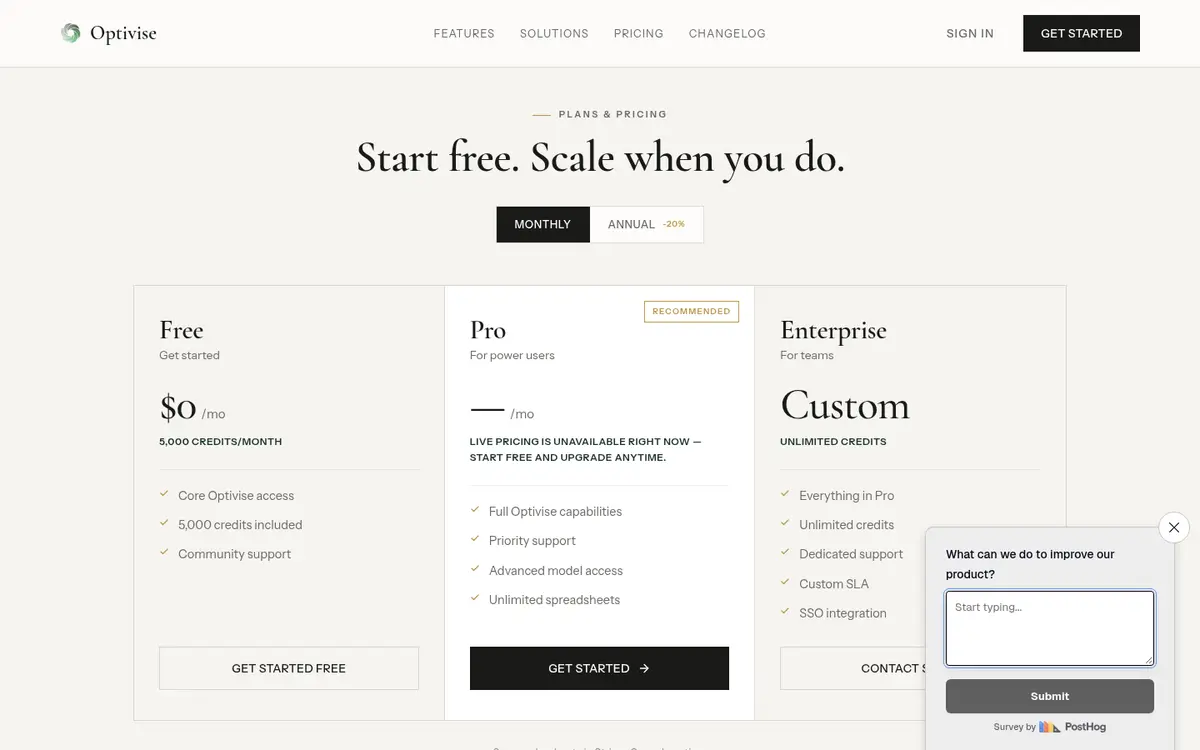
Optivise is the opposite of Superjoin's approach. Superjoin configures agents around a firm's procedures; Optivise is a general add-in you install and use alone. It has no named agents for valuation, diligence or audit, and no deck or data-room workflow was verified. But it is free to start, with 5,000 credits a month. The Pro price did not show on its pricing page, and Enterprise is custom. Its newest changelog entry we saw was dated 16 Jul 2026, so ask how actively it is updated.
- Price
- Free plan. Pro price not shown on its page. Enterprise custom.
- Free option
- A free plan with 5,000 credits a month.
Pros
- Free plan, installs from Microsoft Marketplace
- Every edit can be accepted or rolled back
- Extracts cited figures from PDFs and filings
Cons
- Pro price not shown
- No valuation or audit agents
Pick it if you want to try an AI add-in in Excel for free today.
Who should pick what
Advisory firms choosing an alternative to Superjoin should decide how much set-up they want. Configured agents fit the firm's procedures but need a demo, a contract and time. Self-serve add-ins start today but leave the method to you. A ready model is the lightest option, for one engagement at a time.
- Firm-specific agents with a full audit trail: Crunched.
- Diligence and valuation work in Office at a published price: Tracelight.
- Delegation by email, or a general AI agent in Excel: Endex, Shortcut or Optivise.
- A ready valuation or QoE model to adapt yourself: Finamodel.
Test each option on a closed engagement where you know the right answer, such as last year's 409A or a finished QoE. Compare the output with your signed work, and time the review. Ask the configured vendors how long set-up takes and who owns the agents if you leave.
Frequently asked
How much does Superjoin cost?+
Superjoin shows no public price. Every path on its site leads to Book Demo. We last checked on 10 Nov 2026.
Is there a free version of Superjoin?+
No free plan or trial is listed. Shortcut and Optivise have free plans, Tracelight has a Starter free trial, and Finamodel gives 30 free models with live formulas and a free sample of every other model.
What are the main Superjoin alternatives?+
For firm-specific agents: Crunched. For AI in Office with published prices: Tracelight. For delegation by email: Endex. For general AI agents in Excel: Shortcut and Optivise. For a ready Excel model you adapt with AI: Finamodel.
Superjoin vs Finamodel: which should I pick?+
Pick Superjoin if your advisory firm wants agents configured to its procedures for valuation, diligence and audit work. Pick Finamodel if you need a ready model for one engagement; the Models plan is $20 a month or $120 a year.
Does Superjoin do 409A valuations?+
Superjoin lists a valuation agent chain that covers 409A, ASC 718, ASC 805 and IPEV work, configured to the firm's procedures. We did not test the output.
Sources for Superjoin (5), last checked 15 Nov 2026+
- superjoin.finance · Homepage and Book Demo · 10 Nov 2026
- superjoin.finance · Valuations solution · 10 Nov 2026
- superjoin.finance · Audit solution · 10 Nov 2026
- superjoin.finance · PE solution · 10 Nov 2026
- superjoin.finance · Agent platform · 15 Nov 2026
Each alternative's own page lists its sources.


